
Build and Sell Digital Products
Pick a proven lane, craft a premium offer, launch a simple funnel, and automate delivery. This playbook merges AI app building, SaaS packaging, and media-led growth into one repeatable system.
What you'll build
A revenue-ready digital product business using your chosen primary platform: AI agentic app, white‑label SaaS, a digital storefront, or a paid newsletter/community. You’ll validate pains, package premium offers, build a simple high‑converting funnel, automate fulfillment, and scale with ads and outbound.
The system emphasizes clear outcomes, risk reversal, and high signal pricing — with AI used for research, automation, and delivery rather than gimmicks.
- Choose a hyper‑specific market and problem worth paying for
- Package a tiered offer ($300 → $500 → $1–3k/mo) with guarantees
- Ship a stupid‑simple MVP and a survey‑led funnel in days
- Automate content, reviews, outreach, and onboarding
- Scale with paid ads, outbound, and attribution‑driven decisions
Platforms & tools


Step 1 — 🔎 Pick a profitable lane
Own a hyper‑specific slice of a proven market (purple‑ocean inside a red ocean). Choose red‑hot, high LTV, low‑churn pains where human onboarding or regulation creates moats (A2P, HIPAA, SOC 2). Favor mid‑market buyers with multiple seats and budgets.
 BizBuySellBrowse real businesses and due‑diligence insights↗
 BizBenCalifornia‑leaning listings with seller notes↗
 Zillow FSBOReal estate FSBO data for lead list products↗
Stop serving everyone. Narrowing increases message clarity, pricing power, and retention; older, less tech‑savvy buyers often value practical AI tools more than tech‑native markets.

AI — where you'll do this
Step 2 — 🧭 Validate pains fast (no code first)
Interview prospects, study competitor reviews, and test messages. Use the SOLVE framework: Spot the core pain, Outline the outcome, Limit risk (guarantee), Value‑pack with urgency, Execute with a clear CTA.
Mine review sites to find gaps and repeated complaints; then pressure‑test your copy with cold outreach before building.
 G2Analyze competitor pros/cons to position your angle↗
Don’t ask “what do you want?” People overstate or guess. Observe pains, outcomes, and language in the wild; then sell the solution before you build it.
Step 3 — 🧱 Package your offer and pricing ladder
Create a simple ladder that matches delivery maturity and buyer risk tolerance. Start lean, add complexity as you gain proof and capacity. Use pricing as a psychological signal — premium buyers self‑select when the delivery truly warrants it.
- Base hosting: $97–$150/mo (live site + account access)
- $300/mo: site, CRM, booking, automations, chat, missed‑call text‑back
- $500/mo: everything above + Google Local Services Ads or AI receptionist/chat
- $1k–$2k/mo: advanced ads (Google/Meta) + SEO (requires experience)
- $2k–$3k+/mo: high‑touch services and growth programs; downsell to $300 if needed
- Websites: free template build (no upfront) vs. $4k–$10k custom
Use risk‑reversal (“Get 20+ Google reviews in week one or don’t pay”—with clear conditions). Collect multiple months upfront when possible; test free trials with card‑on‑file. Avoid publishing too many options; it stalls decisions.
Step 4 — 🧲 Design a simple funnel that converts
Use a straight path: Ad → Calendar → Survey → Thank‑you → Close on Zoom. Replace generic contact forms with a short survey. Offer a stronger CTA than “free strategy call,” e.g., “Get your first initial design” or “Free revenue leak audit.”
Show a prominent phone number. Add a chat widget that accepts photo uploads for instant estimates (name/email/phone required). If you already book consults, remove separate newsletter signups and auto‑enroll call bookers. If you serve multiple industries, let visitors specify theirs.
Headlines win: promise outcomes in simple language (e.g., “Book more jobs,” “Get 10% more phone calls”). Meet prospects at their current consciousness level, raise it, then bring them back down to drive action (emotional delta).
Step 5 — 🧰 Build the landing experience (by platform)
Create a fast, clean landing tied to your survey and calendar. Use proven copy principles (Ogilvy, Hopkins), social proof, and a single focused CTA.
| Platform | What to do in this step |
|---|---|
| GoHighLevel | Enable AI Studio; paste the business’s Google link; prompt with business details and image sources to generate the site. Add survey, calendar, phone, chat with photo upload, and a Reviews campaign. Link Meta ads to the landing. |
| Shopify | Use a lightweight theme for a digital product. Add a single product/collection page tuned to your CTA. Install a chat widget, embed your survey and booking link, and set up digital downloads or gated content. |
| Beehiiv | Build a conversion‑focused publication page. Use a lead magnet or a free audit CTA; route booked calls to an onboarding sequence. Offer paid tiers or community perks later. |
| Claude Code | Create a minimal static site with forms and calendar; generate sections via LLM prompting. Auto‑open the dev server in Chrome to visualize and iterate quickly. |
| Codex | Ask the model to scaffold a brief portfolio or product page. Wire a form endpoint and booking link; deploy to a static host for speed. |
| Antigravity | Use Gemini to convert a content/video brief into structured sections. Assemble a landing with a single CTA and embed your survey and booking. |
You are a direct response copywriter.
Rewrite this page section for [AUDIENCE] to achieve [OUTCOME].
Company: [NAME], Niche: [NICHE], Proof: [PROOF], Key pains: [PAINS], Offer tier: [TIER], CTA: [CTA].
Voice: [TONE]. Keep it skimmable, include 1 social proof block and a benefit‑driven headline.
Input section screenshot/text: [PASTE]
If using GPT Image 2 for hero images, note it outputs square images; plan crops accordingly.

Claude Code — where you'll do this
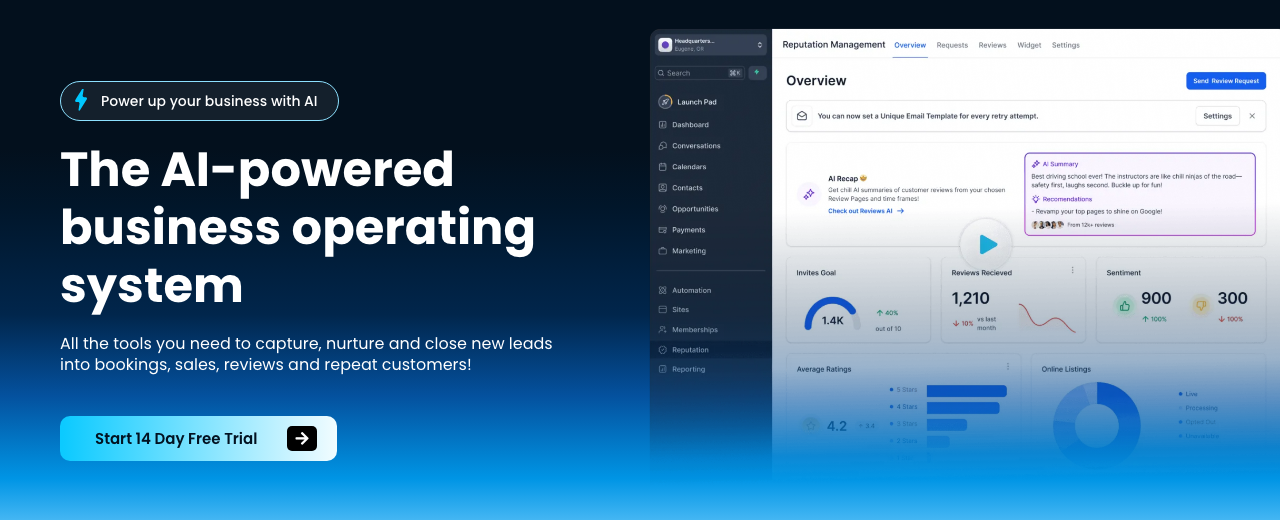
GoHighLevel — where you'll do this
Step 6 — ⚙️ Turn on AI features (GoHighLevel)
In each subaccount, go to Settings → Labs and enable AI Studio and Ask AI. This unlocks AI site generation, social scheduling, and email creation. Keep the UX simple; one clear CTA per page.
Use Ask AI to bulk‑generate 30 days of Facebook posts (Mon/Wed/Fri) and 30 days of emails for past customers and form leads — schedule them now to save fulfillment time.
Step 7 — 📞 Wire communications and reviews
Automate lead intake and follow‑ups. Import workflows for contact form submissions that branch on responses. Enable missed‑call text‑back and a chat widget. Run a Google Reviews campaign that posts 5‑star ratings publicly and captures details privately for lower ratings. Connect the client’s Facebook page in Launchpad for scheduled posts.
Use Twilio for reliable SMS/calls and n8n to auto‑provision sites from onboarding forms. Keep the lead survey short — surveys consistently beat raw phone/email forms for conversions.
N8N — where you'll do this
Step 8 — 🧪 Ship a stupid‑simple MVP (agentic apps)
If building an AI app, optimize for ease of use — one job done incredibly simply. Make your code base model‑agnostic and ready to swap providers without refactors. Document rules once and reuse everywhere.
| Platform | What to do in this step |
|---|---|
| Claude Code | Download the desktop app; open a clean repo folder. Create a global agents.md and a .Claude/claude.md for compressed knowledge, prefs, and API docs. Enable bypass permissions, then prompt to scaffold the MVP and run the dev server (auto‑open Chrome). |
| Codex | Create a new workspace folder and ask the model to build a minimal project (e.g., portfolio/MVP UI). Prepare system prompts and skill specs so you can switch models quickly. |
| Antigravity | Install the app, set OpenAI/Claude/Gemini keys. Use video‑to‑action to turn a YouTube walkthrough into stepwise instructions; generate the smallest working version that proves value. |
- Set API keys (Claude, OpenAI, Gemini)
- Global agents.md + local .Claude/claude.md
- Model‑agnostic code + shared skill specs
- Run locally; open UI to validate flows
- List features/benefits/scope in 2 hours
Claude Code’s visible reasoning is highly interpretable. Keep claude.md updated with high‑density learnings to avoid re‑reading large repos and to reduce token use.
Step 9 — 🧠 Architect your agents for reliability
Use a manager‑worker pattern: 1 manager delegates to specialized agents (front‑end, back‑end, test). Fan‑out multiple sub‑agents with small prompt variations, then fan‑in with a synthesizer. The core loop: observe → think → act → observe. Use cheaper models for exploration and stronger models for synthesis and judging.
- Fan‑out research; fan‑in synthesis
- Stochastic consensus (mode/median ranking)
- Debate agents for edge‑case coverage
- Use Sonnet‑class for research, Opus‑class to synthesize
- Parallelize via separate browser/Chrome instances
AI agents are fast and parallel but not omniscient. Optimize for consistent 90% performance over chasing 100%—and orchestrate multiple runs to filter hallucinations.
Step 10 — 🛠️ Implement skills and automations
Standardize repeatables with skill files (title, description, tools). Let agents self‑modify by appending new rules to agents.md from user corrections. Add video‑to‑action skills to convert tutorials into executable steps. Use agents to visit sites and fill forms if emails are missing. For calling, implement a predictive pacing algorithm and a queue to route pickups to available agents.
- Self‑modifying agents.md to reduce repeated errors
- Chrome DevTools MCP to read dynamic API docs
- One large write vs. many edits for efficiency
- Context discipline to protect model quality
- Dialer: predictive pacing + queue routing
Overstuffed context and many sequential edits degrade outputs. Keep prompts tight; batch writes; log failures/successes back into claude.md to avoid repeats.
Step 11 — 🖼️ Produce images and visuals with AI
Create packaging, interior redesigns, and thumbnails with GPT Image 2. Automate pipelines to generate images, drop them into dashboards, and assemble styled presentations. Use a judge model to compare variants and pick winners.
- Product packaging: accurate text (calories, barcodes)
- Real estate: preserve structure; add décor/furniture
- Thumbnails: keep style kit consistent
- Judge runs (e.g., Claude) to choose best images
GPT Image 2 is strong on text realism but square‑only; heavy throttled runs can degrade quality. Handwriting cleanup can confuse symbols (e.g., arrow vs. ‘33’). Reusing the same source too often also degrades likeness.
Step 12 — 📊 Add attribution and account insights
Don’t optimize ads on platform data alone. Wire attribution (Triple Whale, Highrise, Wicked Reports, WeTrack) and connect Windsor to query client usage: dormant sub‑accounts, missed follow‑ups, and risks of churn. Use AI for business intelligence, not just flashy content.
- Instrument multi‑touch attribution
- Ask AI (via Windsor) for churn risks
- Create weekly account‑health digests
- Act on attribution, not hunches
Regularly ask for “clients likely to churn” and “features not used” — small saves compound. Attribution prevents false winners and masked losers.
Step 13 — 🧵 Automate onboarding and fulfillment
Use n8n to transform onboarding form data into live accounts and starter websites automatically (for GoHighLevel or your stack). Trigger welcome emails, tasks, and AI‑generated content queues the moment a deal closes.
- Form submit → provision sub‑account
- AI site draft + surveys + chat widget
- Auto‑schedule 30 days content/emails
- Kick off Reviews and follow‑ups
Manual fulfillment doesn’t scale. Systematize early to prevent entropy; inject energy by working sprints, hiring ops help, or adding AI where it removes toil.
Step 14 — 🚀 SEO, content, and owned audience
Rank for free tools/templates and buyer‑intent terms. Build a newsletter (Beehiiv) and auto‑enroll booked callers to compound reach. Publish scheduled social content through your platform so your feed never goes dark.
- SEO for free tools/templates → lead magnets
- “Email lists” style terms (greyhat caution)
- Newsletter as product or upsell
- Scheduled content via platform AI
Trends hyped on social are often late. Focus on evergreen problems; build a brand — price and features rarely win long‑term without it.
Step 15 — 📤 Acquire customers (outbound + platforms)
Spin up volume outbound (email, LinkedIn, X, Instagram, iMessage). Use Upwork for early clients and discovery. Send personalized Looms, cold SMS, and targeted ads once messaging hits. Scrape leads for each offer (e.g., via LinkedIn Sales Navigator) and prioritize the 30% who say yes to calls.
- Creative Looms + mass DMs + cold email
- Platform‑optimized messages; iterate fast
- 5,000 emails/week is achievable volume
- Book Zoom calls; learn pains live
Most people say no. Win with volume and iteration. Verify phone numbers periodically (a small call‑center sample test works) — phone accuracy decays faster than email.
Step 16 — ✍️ Copy frameworks and plug‑and‑play prompts
Trigger the psychology of “yes” with personalization, authority, an irresistible offer, and a crisp CTA. Build a casual, congruent frame in the prospect’s language. Continuously analyze and rewrite 10+ outbound messages to spot and fix common mistakes.
Context: I sell [SaaS/AI TOOL] to [AUDIENCE] to achieve [OUTCOME].
Write a 120‑word cold email using SOLVE and a soft CTA.
Spot pain: [TOP 2 PAINS]
Outcome: [METRIC/RESULT]
Limit risk: [GUARANTEE/TERMS]
Value+urgency: [BONUS/DEADLINE]
Execute: CTA = [BOOK LINK].
Tone: [CASUAL/EXPERT/FRIENDLY]. Include 1 authority line tied to their reference group.
Write a 4‑part cold email for [TRADE: e.g., roofer/plumber] in [CITY].
1) Personalize (street/area cue)
2) Case study (results for similar client)
3) Offer (e.g., install chat widget + missed call text‑back + review push)
4) CTA ("Get your first initial design" / calendar link).
Keep to 90–110 words; plain English; include phone number and reply option.Write a concise DM for [NICHE AGENCY] to win [SERVICE] retainers at [TARGET PRICE]. Include: who I am [CRED], value prop [OUTCOME IN WEEKS], risk reversal [TERMS], and CTA [BOOK LINK]. Frame it casually; mirror their jargon; 2 short paragraphs max.
Study Halbert and Schwartz by hand‑rewriting sales letters. Clarity beats clever. Price signals identity — don’t inflate without premium delivery.
Step 17 — 📨 Outreach scripts (verbatim variants)
Subject: [Personalized hook for [Name]]

Hey [NAME], thanks so much for reaching out. We’re excited to assist you. If you want to book in an estimate or an appointment right here, check out this link: [BOOK LINK]
Subject: [Personalized hook for [Name]]

Hey [NAME], love your channel. Very no BS and super helpful. Quick one — I help [CREATOR TYPE] build landing pages; last month we did [RESULT]. I reviewed your [PAGE] and you’re leaving money on the table.
I’m confident minor changes can add [TARGET VALUE] in the next 60 days. I’ll do the work 100% up front; if it delivers, I ask for [PERCENT]%.
Open to a 50‑minute call? How’s [TIME] tomorrow?
[YOUR NAME]
Subject: [Personalized hook for [Name]]

Hey [NAME], saw you hit [VIEWS] last month — amazing. I work with an influencer marketing co that places channels with brands like [BRANDS]. Just helped [BRAND] make [RESULT] in a few weeks.
I think we can add [VALUE] in the next couple months by sourcing aligned sponsors; mostly performance‑based.
Do you have time this week for a quick chat?
Cheers, [YOUR NAME]
Subject: [Personalized hook for [Name]]

Hey, do you need 100k? Do you need 200k? You have all this equity, you know.
Subject: [Personalized hook for [Name]]

Hey [NAME], I see your house is listed for [ASKING PRICE]. I can close fast, all cash, [OFFER] today.
My strategy starting off was to just work extra hard: wake up early, do the sales in the morning, go to work, come back, and fulfill if I can — then get better at balancing time.
Step 18 — 🧑💼 Run the sales process and coach yourself
Get on as many calls with qualified leads as possible. Ask about their industry problems and why each question matters. Use risk reversal and identity‑aligned positioning. Record every call; upload transcripts to an AI sales coach trained on proven frameworks to score objection handling and surface your top three fixes. Showcase video testimonials that start with the client’s results, niche, and industry.
- Prioritize yes/maybe leads; book fast
- Record and coach every call
- Implement top 3 fixes next day
- Results‑first testimonials (name, niche, metric)
Premium buyers behave differently — they show up prepared and engaged. Raise price when delivery and social proof justify it; prospects often begin selling themselves.
Step 19 — 💳 Expand monetization beyond software
Layer profitable ancillaries: white‑labeled credit‑card processing (earn interchange), payroll/benefits referrals, and implementation services. For software, a freemium model with low free limits can drive top‑of‑funnel and monetize via add‑ons. Price test empirically; raise until sales push back.
- Interchange from payments can rival SaaS
- Freemium tools → paid plans & upsells
- Collect multiple months upfront (1 free)
- Free preview sites to spark demand
Price isn’t a durable moat — free software with ancillary monetization can undercut you. Differentiate by outcomes, brand, onboarding, and support.
Step 20 — 🗃️ Productize data/lead lists (optional product)
Lead lists are digital, re‑sellable assets. Source data (e.g., FSBO from Zillow), dedupe, and verify. Sell exclusive segments or multiple times with sensible contact policies. Randomly phone‑verify a subset (internal team or offshore call center) to estimate accuracy and maintain trust.
- Sell lists repeatedly; cost is one‑time
- Most buyers never contact all leads
- Phone verification beats email difficulty
- Manage over‑contacting to avoid complaints
Verify phone numbers regularly; poor list quality kills retention. A small, random call audit (e.g., Philippines call center) is cost‑effective.
Step 21 — 📣 Turn on paid traffic and scale delivery
Once you hit roughly $4k/month, start paid ads to amplify what already converts. Use Google Local Services Ads (link the Business Profile and go), Meta ads to your landing, and AI to generate multiple ad angles and headlines. Expect $50–$70 per booked appointment; close 2–3 out of 10 meetings with dialed messaging.
- LSAs: minimal setup; let it run
- AI ad script drafts; you edit
- Ad → calendar → survey → Zoom
- Scale only what attribution proves
Businesses drift toward entropy. Keep injecting energy — tighten ops, hire for bottlenecks, or automate more — or growth stalls.
Step 22 — 🧭 Iterate pricing, positioning, brand
Test price by selling, then raising until friction. Don’t panic when others are cheaper — your price signals identity and demand. Build an authentic brand with social proof matched to the buyer’s reference group; contrast your approach to stand out.
- Sell → raise → repeat until pushback
- Brand > features or price in the long run
- Position to status/connection/transformation
- Avoid tool‑hopping; consistency compounds
Avoid frequent framework swaps — small base‑model upgrades absorb most gains. Consistent 90% execution beats sporadic 100% experiments.
Step 23 — 📑 Onboarding and communication standards
Template expectations up front: scope, timelines, response windows, and what you need from clients. Productize updates and checkpoints. For contractors and local services, keep the phone number obvious and ensure missed‑call text‑back is live.
- Onboarding checklist + kickoff email
- Standard response SLAs and channels
- Milestone demos; results‑first updates
- Chat + SMS safety nets for every lead
Mistakes to avoid
If not substantiated, models ask to rebuild from scratch. Compress knowledge and update after wins/failures.
Coding first wastes time. Sell the promise, validate demand, then build the smallest working version.
Every industry has pains and budgets. Don’t exempt yourself from market truths.
People misreport. Observe pains and outcomes; test messaging instead.
Most still use contact forms. Surveys convert more and segment better.
Relying on a single run/model misses diversity. Orchestrate multiple agents.
Convert tutorials to step lists (video‑to‑action) to fit context and improve execution.
Blind scaling kills margins. Track acquisition and lifetime value.
Aim for consistent 90% with orchestration; perfection slows delivery.
Mismatch to the prospect’s reference group reduces credibility.
GPT Image 2 is square‑only; heavy throttling degrades; handwriting symbols can be misread.
Batch writes; many sequential edits waste tokens and time.
Too many tokens lowers performance. Keep prompts tight.
Pricing is psychology and positioning. Don’t reflexively undercut.
Lowering price when you see cheaper competitors weakens your signal.
Leads decay. Randomly verify phones; email checks aren’t enough.
Coordinate outreach volume; most buyers won’t hit all leads, but set guardrails.
Most say no. Send thousands with platform‑specific variants and iterate.
Arguing platforms beats selling. Pick a stack and execute.
Vette deliverables and support. Milestone payments only.
Marketing without a sharp angle blends in. Create contrast.
AI alone won’t stick. Guided setup reduces churn.
You can’t coach what you didn’t capture. Record everything.
Ops complexity explodes. Automate onboarding and reviews early.
Businesses decay without energy. Add ops, people, or systems regularly.
Over/under‑estimating task time leads to misses. Log and calibrate.
Reusing the same base for thumbnails degrades likeness and quality.
Vibe‑coded apps flop with tech‑savvy buyers; pick markets that value implementation.
Platform stats mislead. Wire proper attribution or you’ll scale losers.
Contact forms underperform; surveys segment and convert higher.
Market feedback beats your gut. Iterate on real responses.
Income Forecast
Resources
Table of Contents
This guide is 1% of what members get
All 7 tools, 100+ grounded playbooks and 252 vetted tools, prompts and repos — on one membership.
Land your dream job. Start your dream business.
Swipe real ATS jobs — we fill out and submit each application.
Score your resume 0–100 against live roles before you apply.
Recruiter-tested one-page resume, auto-built from your LinkedIn.
Paste a job link — get tested + your fastest study path.
252 vetted tools, prompts, repos and GPTs across 86 categories.
338,947+ live ATS jobs across 18,000+ company boards.
100+ grounded, step-by-step income playbooks.
Join free today — All-Access is $7 for 7 days, then $27/month. Cancel anytime.
Learn More →