
Make Money from Home with AI Service Systems
Launch a home-based AI service that installs voice/chat receptionists and simple automations for local and SMB clients. Validate fast, sell outcomes (not tech), deliver with a repeatable playbook, and scale to monthly retainers.
What you'll build
A lean, home-based AI services business that installs voice AI receptionists and simple, high-ROI automations for small businesses. You’ll validate demand fast, run consultative sales, deliver a working agent with calendars/CRMs connected, and shift to monthly retainers.
Core moves: niche selection, fast proof-of-concept, outcome-first offer, platform-specific build, and steady distribution.
- A validated niche (high-volume, missed-calls pain)
- A one-page, ROI-first offer and scope
- A working AI receptionist + speed-to-lead flow
- Connected calendar/CRM + notifications + reporting
- A repeatable lead gen and upsell engine
Platforms & tools


Step 1 — 🎯 Pick a tight, money-in-pain niche
Choose one niche where missed calls, slow replies, or repetitive intake is costly and frequent (plumbers, dentists, HVAC, roofers, chiropractors, clinics). Prefer high-volume, lower-ticket services where a small conversion lift compounds fast.
Leverage domain you know. Your goal is a simple AI receptionist + speed-to-lead package that books more appointments and captures every inquiry.
Hyper-niche to AI receptionists instead of “general AI automation.” Big agencies dominate broad work; receptionists are urgent, obvious ROI, and under-served.

nano banana — where you'll do this
Step 2 — 🧪 Validate demand before building
Pre-sell the outcome as if it already exists. Draft a simple landing page with one use case (e.g., AI-powered chief of staff/receptionist), a price range, and a booking link. Message your network and run 5–10 learning calls to confirm pains and willingness to pay.
Use a foot-in-the-door micro-commitment (quick audit call) to de-risk the next step.
Who do you know that’s looking for an AI-powered chief of staff/receptionist that gets them back 10–15 hours a week and books more appointments?
Subject: Early access: AI receptionist for [NICHE]

Quick one — I'm piloting an AI receptionist that answers 24/7, qualifies, and books to your [Calendar/CRM]. I’m taking [X] early adopters at [PRICE RANGE] with hands-on setup.

If I show you a 60-second demo and it maps to your workflow, want me to reserve you a spot?
Show a finished-feeling demo, not slides. Pre-selling the outcome beats pitching technology every time.
Step 3 — 🗺️ Diagnose with consultative discovery
Run calls where you listen 70%, present 20%, and handle next steps 10%. Lead with business goals, constraints, and ROI — not tooling. Quantify time lost, errors, and revenue leakage from missed calls or slow replies.
Subject: [Personalized hook for [Name]]

Hi there, I'm [NAME] from [COMPANY]. Quick chat to learn your day-to-day so I can spot where AI gives you time back and books more revenue. Ready to dive in?

Warm-up prompts:
- What does a typical week look like?
- Team, roles, and current tools?
- Biggest recurring headache right now?
- Where do you lose time between 9–12?
Listen: Let them describe processes and bottlenecks.
Repeat: Reflect patterns back to confirm.
Poke: Quantify — Whose hours? Hourly value? Error rate? Refunds/churn from mistakes? Copy-paste work? If I remove one weekly fire, which one changes your week?
What do you think about AI and where do you think it’s going in your business?
Handle most objections up front via deep discovery. Clients care about money made/saved and risk reduced — not model architectures.
Step 4 — 🧾 Craft a one-page offer + scope
Write a plain-English offer and a tight scope: objectives, inclusions, exclusions, timeline, client expectations, and payment terms. Frame price against ROI (missed-call loss, time saved). Favor retainers with defined outcomes over one-offs.
Problem: [MISSED CALLS/SLOW REPLIES/INTAKE CHAOS]
Promise: 24/7 AI receptionist that answers, qualifies, and books to [CALENDAR/CRM].
Deliverables: Agent setup, knowledge base, phone/SMS/web chat, speed-to-lead, notifications, reporting.
Timeline: [X] days to go-live; [Y] days optimization.
Price: [SETUP FEE] + [MONTHLY RETAINER].
Guarantee: Pay-for-performance: if it doesn’t deliver the agreed value, you get your money back.
Expectations: Provide site URLs, FAQs, booking rules, and team contacts by [DATE].
If you're not happy with it when I deliver it, or it doesn't deliver the value we discussed, you'll get all your money back.
Position as augmenting receptionists, not replacing jobs. Transparency increases adoption and reduces friction.
Step 5 — 🌐 Launch a minimal web presence
Spin up a one-pager with bolt.new, Lovable, carrd.co, Webflow, or Framer. State what you do, who it’s for, the price, deliverables, turnaround, and a booking link. Include 1–2 proof points and a 60-second demo.
Don’t polish logos or business cards. Prioritize lead gen, sales, and retention activities.
Step 6 — 🧲 Build a lead list and book calls
Start with your network. Then use unsexy channels that work: cold email, Upwork/Fiverr/Toptal/Malt, and community posts. Filter by decision-maker titles (Owner/Founder/CEO/COO/President/Partner/Principal/CTO). Search locally for niches that miss calls and rely on quick response.
Use scraping/enrichment (Ampify, Apollo, Sales Navigator) and group similar tasks for efficiency.
 Google MapsSearch “[CITY] plumber/dentist/roofing/chiro” and spot call windows and reviews.↗
 YelpIdentify high-volume service businesses and note peak hours.↗
Batch work: send all cold emails, then all DMs, then all proposals. Context switching kills throughput.
Income Forecast
Personalize with real insights from scraping and site reviews. Keep it short, useful, and ROI-focused. Tools like Instantly handle sending and warmups; use AI to automate research for icebreakers at scale.
Subject: 60s demo fixing [X]

Hey, I built a workflow that solves [X pain point]. I’ve got a 60-second demo showing how it works. You want me to set it up for you?
Subject: Stop losing [$$] to manual work

You’re doing this process manually ~[HOURS]/week. If time is $[RATE]/hr, that’s $[WEEKLY] weekly → $[MONTHLY]/mo → $[YEARLY]/yr. If I build a system that eliminates it, you get back [HOURS/MONTH] monthly and ~$[VALUE] in value. Paying me $[PRICE] is a no-brainer.
Subject: Quick mapping for [NICHE]

Hey [NAME], I'm mapping the top drains in [NICHE]. In 15 minutes, I’ll quantify your biggest bottleneck and share where AI actually helps (and where it doesn’t). No pitch unless you ask — just trying to be useful.
Subject: I redesigned your site (AI)

Hey, I redesigned your website using AI. Here it is: [LINK]. If this seems interesting, let me know. If not, your marginal cost was basically nothing.
Cold email is digital door-knocking. Personalize or it blends into saturated inboxes. Rotate angles; don’t blast the same template endlessly.
Step 8 — 📌 Use social proof and micro-commitments
Front-load outcomes you’ve delivered (appointments booked, hours saved, refunds avoided). Offer free audits to warm contacts and host local office hours to build testimonials. Use the assumptive close to move to proposal smoothly.
All right, [NAME], I’ll send over the proposal with details. Sound good?
Optimize for experience early — even a free pilot — to earn proof and referrals you can reuse in every pitch.
Step 9 — ⚡ Prototype in 90 minutes
Time-box a POC: 15 minutes planning, 60 minutes building, 15 minutes recording a crisp demo. Solve one diagnosed pain (e.g., missed-call capture → calendar booking) and show it working with client branding.
Start builds from the end (final output) and work backward. It prevents dead-end paths.
Step 10 — 🧠 Master the 4 core skills
Commit to one primary platform for 90 days. Learn: APIs (auth, endpoints, minimal calls), Webhooks (receive/trigger data), AI prompting (system/user/assistant roles), and pragmatic dev (test-driven, small increments). Do only what AI can’t: talk, negotiate, and judge nuance.
System: You are [ROLE] for [BUSINESS]; goals: [GOALS]; constraints: [CONSTRAINTS].
User: Task/context: [WHAT]; inputs: [INPUTS]; output format: [FORMAT].
Assistant: Ask 1–2 clarifying questions only if needed; then produce [OUTPUT] with [TONE]; avoid hallucinations; cite [SOURCE] if uncertain.
APIs often expose more power than drag‑and‑drop connectors. A minimal working request beats days of clicking.
Step 11 — 🔌 Wire a working API/webhook
Build a minimal request end-to-end: authenticate, hit one endpoint, get a 200 OK, and parse a useful field. Then expose a webhook URL to receive lead data and trigger your flow.
| Platform | What to do in this step |
|---|---|
| Make.com | Use HTTP module. Set URL, method, headers (Authorization: Bearer [TOKEN]), Content-Type: application/json. Add small JSON body. Run once to confirm 200 OK. |
| n8n | Add HTTP Request node. Import a working curl to auto-fill. Chain a Webhook node to receive test data and pass to next nodes. |
| Zapier | Use Webhooks by Zapier (Catch Hook/Custom Request). Set method/URL/headers/body. Test trigger; map fields to actions. |
| GoHighLevel | Create an outbound webhook from workflows to your endpoint (lead created / call ended). Or create a custom value via incoming webhooks and map it into CRM fields. |
| Google AI Studio | Define a tool/function (e.g., submit_lead). In system instructions, tell the agent when to call it with {name,email,phone}. Test via the live API. |
Test webhooks with a simple browser GET or from another app (even ClickUp). Keep payloads tiny until the pipe is proven.
Make.com — where you'll do this
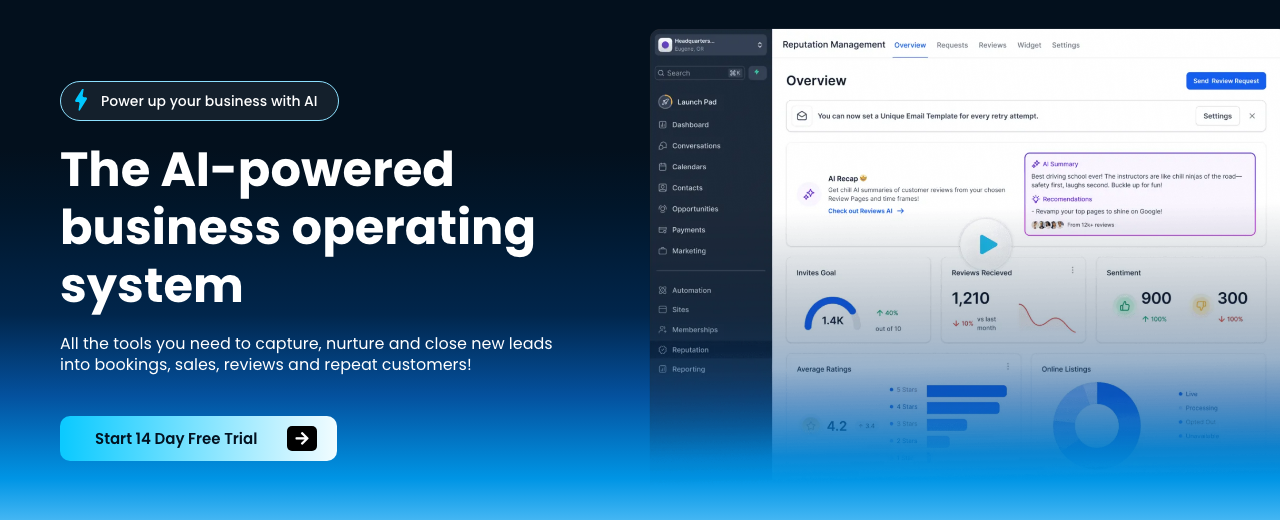
HighLevel — where you'll do this

N8N — where you'll do this
Step 12 — 🤖 Create the agent skeleton and prompts
Stand up a basic conversation flow that greets, collects required info, qualifies, and hands off to booking or a human. Keep the prompt compact and directive.
| Platform | What to do in this step |
|---|---|
| GoHighLevel | Create a Voice AI agent. Name it after the business. Set the initial message with the business name and goal (answer, qualify, book). |
| Google AI Studio | Create a voice agent using Gemini. In system instructions, require collecting name/email/phone and call the submit_lead tool when done. |
| Make.com | Create a flow: Webhook → LLM (prompt to collect fields) → Router (if complete) → Calendar/CRM; else → Ask follow-up. |
| n8n | Set a Webhook trigger → AI node → If node to check collected fields → Calendar/Email nodes. |
| Zapier | Use a form/chat trigger → AI step → Paths for complete vs. missing fields; complete → Calendar/CRM; missing → follow-up email/SMS. |
You are a helpful, friendly receptionist for [BUSINESS]. Your primary goal is to collect the caller’s full name, email, and phone. Ask only what’s necessary. Once you have all items, trigger [SUBMIT_LEAD] with the fields and confirm next steps. Be concise and warm.
Step 13 — ☎️ Connect phones and channels
Publish the agent to a phone number and add web chat/SMS/social inboxes. Ring the client first, then the bot, to keep humans in the loop while ensuring 24/7 coverage.
| Platform | What to do in this step |
|---|---|
| GoHighLevel | Buy a local/toll-free number. Set call flow: ring team first, then AI answers if no pickup. Enable website live chat + SMS. In Launchpad, link Google Page, Facebook, and WhatsApp (if outside US). |
| Google AI Studio | Use the live API with Twilio to attach a phone number. For website, embed the web client and route leads to your submit_lead tool. |
| Make.com | Use Twilio → HTTP Webhook to Make for call events/SMS. For calls needing voice AI, front with GoHighLevel/AI Studio; Keep Make for routing, logging, and notifications. |
| n8n | Connect Twilio trigger nodes for calls/SMS → n8n workflow. Forward call events to an AI agent service; keep n8n for CRM writes and alerts. |
| Zapier | Use Twilio triggers (missed call/SMS received) → Zap paths for immediate SMS reply, lead creation, and team notifications. |
Transparent AI beats fake-human scripts. Users accept voice agents when the experience is clearly better than voicemail trees.
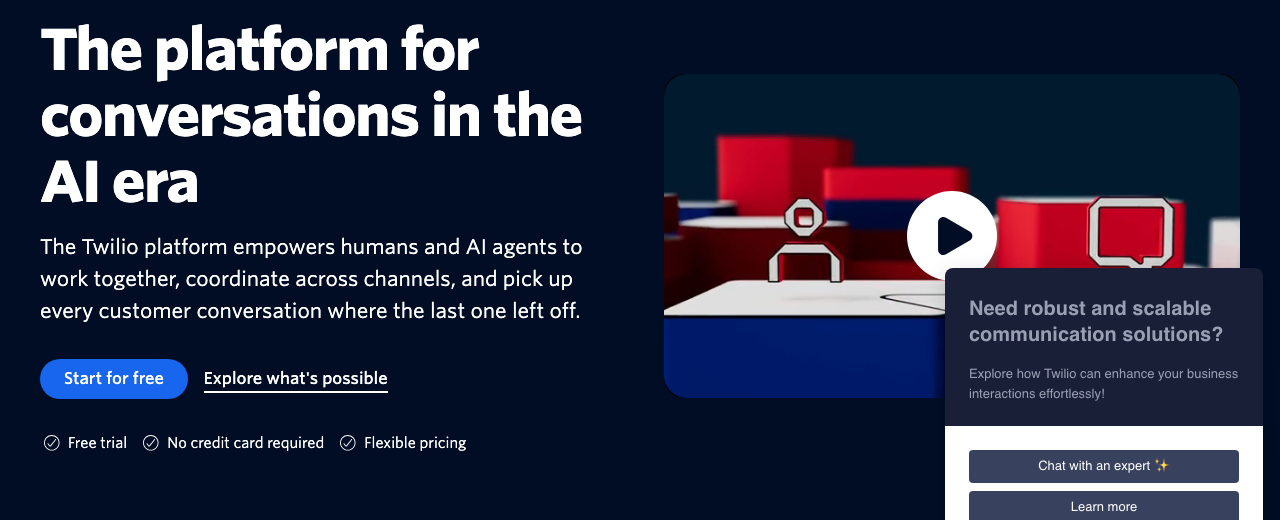
Twilio — where you'll do this
Step 14 — 📚 Add knowledge and industry questions
Feed the agent with only what it must know: services, service areas, hours, pricing rules, FAQs, reviews, and booking logic. Layer a short industry question bank to qualify leads properly.
| Platform | What to do in this step |
|---|---|
| GoHighLevel | Create a Knowledge Base; use the web crawler to ingest About/Services/Reviews/Service Areas. Add an advanced prompt for tone and escalation. Add industry-specific questions (e.g., insurance for healthcare). |
| Google AI Studio | Embed a concise business blurb and FAQs in system context. Point to the site for retrieval if available. Enforce: collect [name,email,phone,address] then call submit_lead. |
| Make.com | Store FAQs/rules in a Data Store/Google Sheet. Pass them into the LLM as context. Route answers; if unknown, escalate to human. |
| n8n | Keep a static JSON/Spreadsheet of business facts. Inject into the AI node context. Branch unknowns to a human task. |
| Zapier | Use Storage by Zapier/Airtable for FAQs and rules. Reference in AI step via merged input data. |
Step 15 — 📅 Connect calendars, CRMs, and notifications
Bookings must land in the right calendar with confirmations, and owners should be notified instantly. Connect the agent to calendars/CRMs and send proactive summaries.
| Platform | What to do in this step |
|---|---|
| GoHighLevel | Attach to Google Calendar (or Jane App via webhook). Map fields to Opportunities/Contacts. Notify the owner on every appointment and new conversation. |
| Google AI Studio | Create a tool for Cal.com/Google Calendar booking. On success, return confirmation text and trigger a notification webhook. |
| Make.com | Use Google Calendar/Cal.com modules for booking; write to CRM (HighLevel/HubSpot). Send SMS/Email notifications to owner. |
| n8n | Use Calendar nodes and CRM nodes. Add Slack/Email/SMS nodes to notify the business owner instantly. |
| Zapier | Zaps: AI → Calendar booking → CRM create/update → SMS/Email/Slack notify owner. |
Step 16 — 🧪 Test like a customer and tune fast
Call the number, try edge cases, and verify data capture/booking. Add one module at a time and fully test (test-driven development). Compress and reset context when needed; refine tone and escalation rules.
Swap frictiony asks (recording Looms) for a quick voice agent assessment call — you’ll get more participation.
Step 17 — 📞 Demo live and close on outcomes
On the sales call, dial the agent live, show booking to the client’s calendar, and recap quantified ROI. Explain implementation at a high level, then immediately pivot back to business outcomes and next steps.
Each missed call costs about $[VALUE] for you (e.g., HVAC $1,000/job × 25% close = $250). Even saving [X] missed calls/month pays for [PRICE] many times over. Shall we lock your go-live date?
Step 18 — 🚀 Go live: phone agent + speed-to-lead
Publish the voice agent to a Twilio/HighLevel number, confirm calendar/CRM writes, and enable instant reply for all website leads. Set fallback rules: ring team first, AI answers if no pickup, always capture lead and schedule.
Turn on owner notifications for every appointment and conversation so they can follow up promptly.
Step 19 — 🧾 Onboard data and booking logic cleanly
Configure required fields (name, email, phone, address if needed). Add client-specific qualifiers (e.g., insurance, service area, budget). Ensure the agent books within allowed hours and avoids blackout periods.
Step 20 — 🧮 Audit, report, and upsell (paid or free to warm leads)
Offer an operations audit to find time/cost waste. Analyze transcripts and tools, produce a clear report, and book a 30‑minute follow-up to review and suggest upsells (follow-up sequences, CRM hygiene, reporting).
Subject: [Personalized hook for [Name]]

Hey, I've attached the transcript of a conversation I had with a [NICHE] business owner. Identify the pain points and find off-the-shelf AI/software that can address them. Prioritize low-risk, high-ROI options and outline estimated setup steps.
Send your written assessment within 48 hours and schedule a 30‑minute review. Speed signals competence.
Step 21 — 🧲 Content, lead magnets, and repurposing
Create niche lead magnets and content packages. Use Ask AI to draft posts and schedule 30 days. Generate branded checklists/guides with Google AI Studio. Repurpose long-form demos into shorts with Opus Clips/Descript; experiment with VO3 for generative video.
Create 30 posts for [NICHE] on [PLATFORMS]. Mix tips, case studies, FAQs, and CTAs. Schedule across 30 days at optimal times. Include 3 variants of hooks per post.
Step 22 — 🧊 Personalize outreach at scale
Scrape public data (site, socials) and have AI generate 1–2 insights per contact. Merge into your short emails. Automate with Make/n8n (scrape → summarize → email). Keep it human; personalization should be true, not templated fluff.
Use hard numbers (e.g., “lift engagement 30%”) only when defensible. Vague claims erode trust.
Step 23 — 📦 Move from custom to retainers
Start with custom projects to pay down knowledge debt fast. Then standardize into a receptionist + speed-to-lead + follow-up bundle on monthly retainer. Guarantee specific outcomes where feasible and add upsells (lead follow-up sequences, dashboards, AI FAQ bots).
Step 24 — 🛠️ Advanced: Code copilots and ops
For deeper automations, use Claude/Cloud Code-style tools in VS Code. Choose model size by task (Haiku small, Sonnet medium, Opus complex). Allow edits/write permissions judiciously, instruct in natural language to diagnose and fix errors, and push to GitHub.
Schedule runs with trigger.dev or Modal. Run agents on a VPS for always-on workflows. Add API keys (Claude/Anthropic, Perplexity, Gmail) securely via environment variables.
Common gotchas: wrong endpoints and Unicode/encoding errors. Ask your code copilot to pinpoint and patch them; then lock tests.
Step 25 — 🧭 Optional: Ship a niche AI app
Build thin, focused tools (e.g., AI travel companion that texts options during trips, or AI furniture placement). Use Google AI Studio + Twilio for messaging, or Manas.ai to jumpstart a full-stack app from a single prompt. Package for a specific persona.
Step 26 — 📈 Scale with distribution and minimal headcount
Scale by stacking agents and workflows, not bodies. Add clients steadily, outsource cold calling/ops carefully, and white-label HighLevel if it boosts MRR. Build distribution as your moat: post results-first content, partner with creators in your niche, and offer referral incentives.
Track hours saved, errors reduced, and money made; proactively share dashboards. Reframe case studies to show results first, then the system.
Mistakes to avoid
Talking about AI models or architectures instead of money/time saved loses deals.
General AI agencies compete with giants. Hyper-niche (AI receptionists) wins early.
Perfecting sites/cards instead of booking calls and sending proposals stalls growth.
High-value, low-volume sales are sensitive to small conversion dips; avoid them.
Multi-agent Rube Goldbergs and stitched vendors add time, cost, and fragility.
If you don’t do consultative discovery early, objections pile up at the end.
Selling generic automations without tying to pains and ROI races to the bottom.
Skipping post-delivery check-ins loses testimonials, referrals, and upsells.
Thinking you need many subscriptions prevents starting. Master one platform.
Unclear scope or tossing work to devs/sales ruins margins and delivery.
Unpersonalized emails get ignored and burn lists; rotate angles and lists.
Compare AI cost savings against any conversion loss in high-ticket funnels.
Income Forecast
Resources

Table of Contents
This guide is 1% of what members get
All 7 tools, 100+ grounded playbooks and 252 vetted tools, prompts and repos — on one membership.
Land your dream job. Start your dream business.
Swipe real ATS jobs — we fill out and submit each application.
Score your resume 0–100 against live roles before you apply.
Recruiter-tested one-page resume, auto-built from your LinkedIn.
Paste a job link — get tested + your fastest study path.
252 vetted tools, prompts, repos and GPTs across 86 categories.
338,947+ live ATS jobs across 18,000+ company boards.
100+ grounded, step-by-step income playbooks.
Join free today — All-Access is $7 for 7 days, then $27/month. Cancel anytime.
Learn More →