
Make Money Online with AI Receptionist & Automation Services
Build a niche, outcome‑first AI services business that sets up voice agents and automations for small businesses. Validate fast, sell value, deliver lightly‑maintained retainers.
What you'll build
A focused AI services micro‑business that installs voice receptionists and speed‑to‑lead automations for local and online businesses. You’ll validate demand first, sell on ROI, deliver a simple system that books appointments and answers FAQs, then expand into higher‑value automations and retainers.
- Niche: AI receptionist for missed‑call recovery
- Offer: clear outcomes, pricing, guarantee
- Build: a voice/chat agent + webhooks
- Sell: consultative discovery + paid audit
- Scale: retainers, upsells, minimal headcount
Platforms & tools


Step 1 — 🎯 Pick a high‑volume niche
Choose one industry you already understand where missed calls and inbound lead volume are high (e.g., HVAC, dental, roofing, chiropractic, home services, e‑commerce support). Hyper‑niche to an AI receptionist/phone agent as your entry beachhead.
Talk to 5–10 businesses and apply SCAN: Study their workflow, Calculate time/leakage, Architect a minimal fix, Narrate expected results.
Prioritize high‑volume, low average order value processes; avoid low‑volume, high‑ticket funnels where tiny conversion drops are costly.

nano banana — where you'll do this
Step 2 — 🧪 Validate demand before building
Pre‑sell the outcome. Create a one‑page landing focused on one use case (e.g., “AI receptionist that books missed‑call leads”). Describe it as if it already exists and invite early adopters.
Email your list with an early‑adopter program and a payment link. Launch manually via concierge delivery to learn fast.
Write copy with outcomes first (revenue, cost, time). Audit your messaging and reduce AI jargon if it crowds out results.
Step 3 — 🧱 Package your offer and site
Draft a done‑for‑you one‑pager: problem, promise, timeline, price, and guarantee. Frame pricing in ROI terms (time saved, errors reduced, revenue captured).
Publish a simple site (bolt.new, Lovable, Carrd, Webflow, or Framer) that spells out what you do, cost, deliverables, and turnaround. Lead with case results, then mention the system.
Show a finished package demo with their branding. Clients buy outcomes and ownership, not tools.
Step 4 — 📇 Build prospect lists that convert
Identify local businesses that miss calls (search maps for plumbers, dentists, roofers, chiropractors in any city). Filter decision‑makers by titles: founder, owner, partner, principal, CEO, COO, president, CXO.
Use Apollo and LinkedIn Sales Navigator to compile contacts. Scrape public data with Ampify to personalize outreach at scale.
Cold email is digital door‑knocking. Make it useful and personal; AI now makes deep personalization profitable.
Step 5 — 📣 Activate warm channels and authority
Text your network: “Who do you know that wants an AI‑powered chief of staff to get back 10–15 hours/week?”
Host free AI office hours at coworking spaces or realtor offices. Run a local meetup to establish authority. Partner with creators already discussing the problem and offer referral incentives.


Unsexy distribution beats shiny tactics. Consistent posting and live Q&A often outperform cold calls.
Step 6 — ✉️ Launch personalized cold outreach
Use Instantly to send batched, personalized campaigns. Personalize with scraped insights (Ampify) and AI‑generated icebreakers. Use a foot‑in‑the‑door CTA (e.g., quick diagnosis call). Batch activities: all emails at once, all follow‑ups together.
Subject: Quick demo fixing [PAIN]

Hey [NAME], I built a workflow that solves [PAIN]. I’ve got a 60‑second demo showing how it works. Want me to set it up for you?
Subject: 20 hours/month back

You’re doing [PROCESS] manually ~[HOURS]/week. If your time is $[RATE]/hr, that’s $[WEEKLY] weekly, $[MONTHLY] monthly, $[YEARLY] yearly. I’ll build a system that eliminates it. Pay me $[PRICE] once and you get back [HOURS*4] hours/month and ~$[MONTHLY] in value.
Subject: Mapping the bottlenecks in [NICHE]

Hey [NAME], I’m mapping the top drains in [NICHE]. In 15 minutes, I’ll quantify your biggest bottleneck and show where AI helps (and where it doesn’t). No pitch unless you ask. Down for a quick chat?
Subject: Your site — quick redesign

Hey [NAME], I redesigned your website using AI. Here it is: [LINK]. If this seems interesting, I can walk you through it. If not, your marginal cost was basically nothing.
Market saturation happens when blasting the same script daily. Rotate angles and keep learning from replies.
Step 7 — 🛒 Win marketplace leads quickly
Source work on Upwork, Fiverr, Toptal, and Malt. Pitch outcomes (booked calls, time saved), not tooling. Deliver custom projects early to pay down knowledge debt fast and earn testimonials.
Optimize for experience over margin at first; one great review compounds faster than negotiating $50 more.
Step 8 — 🧭 Run discovery the consultative way
Structure calls 70/20/10: 70% diagnose problems and goals, 20% present outcomes, 10% objections/next steps. Lead with time, money, focus; quantify ROI before tech. Ask, “What do you think about AI and where is it going for you?”
Subject: [Personalized hook for [Name]]

Hi, I’m [NAME]. Quick chat to learn your day‑to‑day so I can spot where AI gives you time back. What’s your role, stack, and biggest headache right now?
Listen: Have them describe their week/process.
Repeat: Mirror back the pattern to confirm.
Poke: Quantify — Whose hours? Hourly value? Error rate? Where is copy‑paste work? What interrupts you 9–12? Which mistake causes rework/refunds/churn? If I remove one weekly fire, which changes your week?
Handle most objections upfront by co‑diagnosing. It makes closing natural and short.
Step 9 — 📑 Sell a paid audit and roadmap
Offer a short, paid assessment to map processes, quantify waste, and prioritize quick wins. Record calls (Fathom.ai), feed transcripts to Claude to surface off‑the‑shelf tools, and generate a concise report (Gamma). Send the report within 48 hours and book a 30‑minute walkthrough to upsell delivery.
Subject: [Personalized hook for [Name]]

Hey, I’ve attached the transcript of a conversation with a [NICHE] business owner. Identify their core pain points and recommend off‑the‑shelf AI or software tools that directly solve each pain. For each tool: why it fits, setup steps, risks, and a 30‑day rollout plan.
Don’t underprice audits; free for truly warm contacts is fine for testimonials, but paid signals value and improves upsell.
Step 10 — 🧰 Choose your build platform (commit 90 days)
Pick one primary platform and commit 90 days. Core competencies: APIs, webhooks, prompting, and test‑driven iteration. You only need enough tech to deliver reliable outcomes.
| Platform | What to do in this step |
|---|---|
| GoHighLevel | Create account, explore AI agents, pipelines, Launchpad. Connect a test sub‑account to learn voice/chat flows. |
| Google AI Studio | Create a new agent, review system instructions and tools, enable voice. Test Gemini responses in the console. |
| Make.com | Create a sandbox workspace. Build a sample scenario using Webhooks and HTTP modules. |
| n8n | Self‑host or cloud. Build a simple flow with Webhook → HTTP Request nodes. |
| Zapier | Set up Webhooks by Zapier. Build a Catch Hook → Code/Action one‑step test. |
| ChatGPT | Create a Custom GPT for FAQs. Test instructions, knowledge, and actions. |
| Manas.ai | Use Develop Apps to generate a skeleton app from a prompt. Inspect API endpoints. |
Barrier to entry is low, but outcomes win. Big agencies dominate general automation—your niche and distribution are the moat.
Make.com — where you'll do this
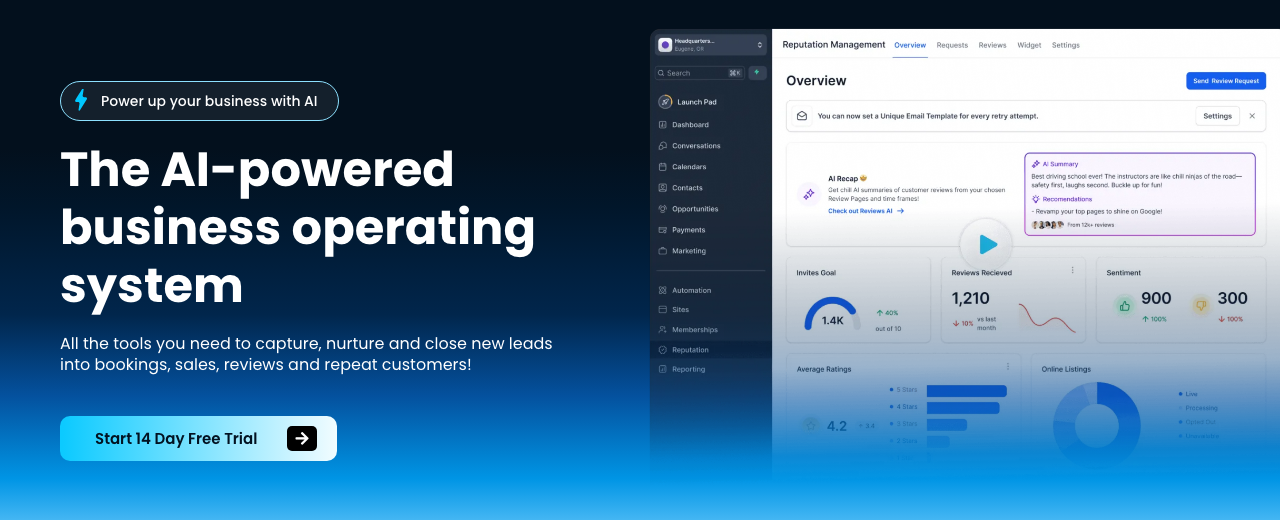
HighLevel — where you'll do this

N8N — where you'll do this
Step 11 — 🧠 Master prompting fundamentals
Use three prompt layers: System (identity/guardrails), User (task/context), Assistant (style/examples). Keep instructions concrete and outcome‑anchored. For long chats, manage context proactively.
You are a helpful, friendly AI agent for [BUSINESS]. Your primary goal is to collect the user's full name, email, and [REQUIRED FIELD, e.g., phone or address]. Be conversational and engaging. Once you collect all required information, call [FUNCTION NAME] to submit the lead. Do not ask for other personal info. Introduce yourself briefly before starting.
Use slash commands in long chats: /clear to reset, /context to monitor tokens, /compact to compress history, /slr to summarize and reset.
Step 12 — ⚡ Prototype one solution in 90 minutes
Time‑box: 15 minutes plan, 60 build, 15 record a demo. Start from the end state (what gets sent or booked) and work backward. Add one module at a time; test thoroughly before the next.
Show the demo branded with their colors and content. Use proven templates and adapt to the industry. For content add‑ons, Ask AI can generate posts and a 30‑day schedule.
Only do things AI can’t: talk to people, negotiate, feel nuance. Let agents do the busy work.
Step 13 — 🔌 Wire up APIs and webhooks
APIs are server endpoints you send requests to and get data back. Find auth, copy an example, and build a minimum viable call. Test webhooks by sending a basic request (browser or another app) to trigger your flow. Store keys for Anthropics, Perplexity, key.ai, Gmail, etc.
Push flows to GitHub and schedule with trigger.dev or Modal. If using an IDE agent/Cloud Code, allow edits, and ask it in natural language to self‑diagnose trivial errors.
| Platform | What to do in this step |
|---|---|
| Make.com | HTTP module: set URL, method, headers (Authorization: Bearer [TOKEN]), body (JSON). Add Webhooks → Custom webhook to receive leads. |
| n8n | Webhook node (POST) → HTTP Request node. Import a cURL to auto‑fill details. Parse JSON and continue. |
| Zapier | Webhooks by Zapier: Catch Hook. Then Code/Formatter/Action steps. Test with a sample POST. |
APIs often beat native integrations in power. Common issues: wrong endpoints or encodings—test with a minimal payload first.
Step 14 — ☎️ Build the AI voice receptionist
Create a phone agent that answers, qualifies, and books. Keep it transparent that it’s AI; users accept great experiences. Use voice agents for high‑volume inbound; keep humans for nuanced high‑ticket closes.
| Platform | What to do in this step |
|---|---|
| GoHighLevel | Create a Voice AI agent named after the business. Customize the first message. Purchase a local/toll‑free number, set ring‑the‑team‑first, then AI answers if no pickup. Create a knowledge base and advanced prompt. |
| Google AI Studio | Create a voice agent with system instructions (collect name, email, service need). Connect to Twilio via webhooks for calls/SMS. Use Gemini for natural voice; test turn‑taking and latency. |
Position as augmenting reception, not replacing jobs. Ring the client’s team first to keep them in the loop.
Twilio — where you'll do this
Step 15 — 📚 Train knowledge and intake
Create a knowledge base. Use the web crawler to ingest About, Services, Reviews, Service Areas, and policy pages so answers are specific. Tune advanced prompts to match tone and policies.
Extend intake with industry‑specific questions (e.g., insurance, location, urgency). Configure required fields: name, email, and address/phone as needed.
Use the crawler to keep training fast and current. Update prompts when the website or offers change.
Step 16 — 🔁 Connect calendars and channels
Assign/publish the agent to a Twilio number. Auto‑answer if the team misses the call. Connect booking via Google Calendar, Jane App, or Cal.com using webhooks.
Integrate live chat on the site and link to SMS and social inboxes. Notify owners on every booked appointment and new conversation. In GoHighLevel, connect Google Business, Facebook, and WhatsApp (if applicable) in Launchpad.
Use a speed‑to‑lead workflow to answer web leads instantly and book before a competitor calls.
Step 17 — 🧪 Test like a customer
Call the number and role‑play common scenarios. Ensure it sounds natural, captures correct info, and books properly. Fix misroutes before go‑live.
Demo live on your sales calls by dialing the business number. Keep explanations brief; pivot back to outcomes immediately.
Voice AI can slightly underperform humans in nuance. Keep it for inbound screening; escalate complex sales to people.
Step 18 — 📄 Scope, propose, close
Write a clear scope: objectives, inclusions, exclusions, timeline, client expectations, payment terms. Present the solution’s business impact, not features. Use an assumptive close and a simple guarantee.
Project: [BUSINESS] AI Receptionist
Objectives: Recover missed calls, qualify leads, auto‑book
Inclusions: Phone agent, knowledge base, booking integration, notifications
Exclusions: Sales closing, outbound calling, unrelated systems
Timeline: [X] days to launch, [Y] days stabilization
Client provides: Calendars, FAQs, policies, branding
Payment: [$$$] upfront + [$$$/mo] support
Success: [#] bookings/week or <[MIN]> missed‑call minutes
All right, [NAME], I’ll send the proposal with details and we’ll get your number live. Sound good?
If you’re not happy when I deliver, or it doesn’t deliver the value we discussed, you’ll get all your money back.
When tech questions come up, give a simple answer and pivot back to ROI. Clients don’t need architecture to value outcomes.
Step 19 — 🚚 Deliver and go live
Publish the agent to the business’s phone number and confirm booking integration with their calendar/CRM. Set clear expectations about what it does and does not do. Offer simple subscription support for tweaks and monitoring.
Common pricing patterns (source‑reported): $300–$500/month for AI receptionist; optional premium packages (e.g., $6,200/3 months) when bundling leads and add‑ons.
Step 20 — 📈 Track value and create case studies
Collect baseline vs. after: hours saved, errors reduced, missed‑call minutes, bookings, revenue recovered. Use DashThis for dashboards. Proactively send value updates to build long‑term relationships.
Compare cost savings to potential revenue loss in high‑ticket funnels if AI reduced conversion; keep humans on critical closes. Reframe case studies with results first, then your system.
Use specific, concrete metrics (e.g., +15% bookings, −40% response time). Vague claims don’t sell.
Step 21 — 🧩 Add revenue boosters
Deploy website chat agents for instant replies and lead capture; keep them to FAQs and hand‑offs. Build Custom GPTs trained on client documents to deflect repetitive questions. Add operational bots (document processors, status updaters).
Package content accelerators: create branded lead magnets in AI Studio, generate social posts and 30‑day schedules with Ask AI, remix video with VO3, and automate client reports with Gamma. Offer comment‑to‑DM automations (Workflow AI).
Most buyers want battle‑tested ROI, not experiments. AI chat agents are crowded, so tie them to revenue events (bookings, shows, quotes).
Step 22 — 🧪 Optional: Prototype niche apps
Build thin, focused apps for specific jobs (e.g., AI travel companion that texts routes and bookings; AI furniture placement). Release quickly; distribution matters as much as code.
| Platform | What to do in this step |
|---|---|
| Google AI Studio | Use system instructions and tools to create the agent. Integrate Twilio for SMS. Leverage Gemini’s native video/audio understanding if needed. |
| Manas.ai | Generate a full‑stack app from a single prompt. Inspect endpoints, add auth, and deploy a minimal viable version. |
| ChatGPT | Have it scaffold code and data models, then push to GitHub and deploy via Modal/trigger.dev for scheduled jobs. |
Publishing and telling people about your app has little extra friction—ship early and iterate in public.
Step 23 — 📊 Scale with retainers, not headcount
Shift from one‑offs to retainers with guaranteed outcomes (bookings/SLA). Add clients methodically; outsource cold calling and back‑office ops when ROI‑positive. White‑label HighLevel to package a platform without building one.
Stack agents and workflows; loop yourself in only for high‑leverage decisions. Productize after you have consistent transactions and partner‑driven distribution. If new to business, go freelancer → consultant → (maybe) agency.
Scale with the least people possible. Wear all hats early to understand roles before you hire.
Step 24 — 🧠 Operate like a pro
Do revenue‑generating activities daily: outreach, calls, proposals, follow‑ups. Batch similar tasks for efficiency. Build distribution as your primary moat.
Avoid overengineering. Start from outcomes, keep builds simple, and iterate from live feedback. Keep learning and re‑imagining your sequence like you’re competing with 10 AI‑enabled rivals.
Skip busywork (perfect logos, business cards). Don’t chase crowded, low‑value AI trends; focus on ROI implementations.
Mistakes to avoid
Trying to be a general AI agency; chasing oversaturated, low‑value AI outputs (logos, faceless YouTube); aiming for a massive startup before skills/revenue; thinking you’re too late; ignoring niche/industry dynamics; applying AI to low‑volume, high‑ticket funnels.
Talking about AI more than outcomes; handling objections only at the end; copying templates without personalization; no proof/testimonials; pricing as a cost instead of ROI; taking desperate/risk‑averse clients; failing to set clear scope/expectations.
Overengineering multi‑agent systems; starting builds from the beginning instead of the end; skipping test‑driven steps; asking clients to record Looms (high friction); ignoring API/webhook basics; wrong endpoints/encodings; not doing recurring check‑ins.
Busywork over revenue tasks; saturating the same audience with identical campaigns; premature team/agency before consulting experience; handing off without proper scoping; assuming revenue equals profit; neglecting metrics and ROI communication.
Selling one‑off templates in a commoditized market; assuming chat agents alone are a moat; underestimating distribution; expecting AI to make the impossible profitable; misplacing AI where nuance is essential.
Income Forecast
Resources


Table of Contents
This guide is 1% of what members get
All 7 tools, 100+ grounded playbooks and 252 vetted tools, prompts and repos — on one membership.
Land your dream job. Start your dream business.
Swipe real ATS jobs — we fill out and submit each application.
Score your resume 0–100 against live roles before you apply.
Recruiter-tested one-page resume, auto-built from your LinkedIn.
Paste a job link — get tested + your fastest study path.
252 vetted tools, prompts, repos and GPTs across 86 categories.
338,947+ live ATS jobs across 18,000+ company boards.
100+ grounded, step-by-step income playbooks.
Join free today — All-Access is $7 for 7 days, then $27/month. Cancel anytime.
Learn More →