
AI Tools to Make Money: Launch an AI Receptionist & Automation Micro‑Agency
Stand up a focused AI receptionist/automation service, validate fast, and win retainers by selling outcomes—not tech. Build on GoHighLevel, Google AI Studio, or no‑code automation and scale with smart systems.
What you'll build
A lean AI services business that installs voice/chat receptionists and simple automations for local and SMB clients. You’ll validate demand, run discovery, prototype quickly, deploy a working AI agent, and package it into monthly retainers with clear ROI.
You’ll master one core platform, connect calendars/CRMs, add telephony, and report measurable time and money saved—then scale by stacking agents and workflows.
- Niche down (AI receptionist/agent) with clear ROI
- Validate with a one‑page offer and pre‑sales
- Build voice/chat agent + routing automations
- Price as recurring retainers; show outcomes
- Scale with distribution, templates, and minimal team
Platforms & tools


Step 1 — 🎯 Pick one winnable niche
Choose a single industry you understand and where missed calls or repetitive questions cost money (plumbers, dentists, roofers, chiropractors, home services). Prioritize high‑volume, lower average order value niches where slight conversion drops don’t destroy revenue.
Hyper‑niche your first product to an AI receptionist/voice or chat agent that books, qualifies, and follows up. This avoids competing with broad, generalized AI agencies.
Anything that scales too easily gets dominated by big firms. Pick an unsexy, outcome‑obsessed service (AI receptionist) to win early.

nano banana — where you'll do this
Step 2 — 🧪 Validate demand before building
Pre‑sell with a one‑page site stating problem, promise, timeline, price, deliverables, and guarantee. Describe the solution as if it already exists and invite early adopters.
Use a simple builder (bolt.new, Lovable, card.co, Webflow, or Framer). Add a waitlist and email a paid early‑adopter offer to validate budget and urgency.
Publishing and telling people about your AI service has almost no extra friction—ship the page this week and learn from replies.
Step 3 — 📣 Fill your calendar with simple outreach
Text your network: “Who do you know that wants an AI‑powered chief of staff to save 10–15 hours/week?” Filter prospects by titles (Founder/Owner/CEO/COO/CTO/President/Partner).
Use proven channels: Upwork/Fiverr/Toptal/Malt, personalized cold email (Instantly + Apollo/Sales Navigator), and partnerships with creators who already talk to your niche. Host free AI office hours at coworking or realtor offices and run a local meetup.
Batch outreach: send all emails at once, then all proposals. Use AI to scale deep personalization (research, icebreakers) so every message is genuinely useful.
Subject: Quick 60‑sec demo for [PAIN]

Hey [NAME], I built a workflow that solves [PAIN]. I’ve got a 60‑second demo showing how it works. Want me to set it up for [COMPANY]?
Subject: Save [HOURS]/week on [PROCESS]

You’re doing [PROCESS] manually ~[HOURS]/week. If time is ~$[RATE]/hr, that’s ~$[WEEKLY_VALUE]/week (~$[MONTHLY_VALUE]/mo, ~$[YEARLY_VALUE]/yr). If I build a system that eliminates this, you get back ~[HOURS_MONTH] hrs/mo and ~$[MONTHLY_VALUE] in value. Paying me ~$[PRICE] is a no‑brainer.
Subject: Mapping the top drains in [NICHE]

Hey [NAME], I’m mapping the top time/money drains in [NICHE]. In 15 minutes I’ll quantify your biggest bottleneck and show where AI helps (and where it doesn’t). No pitch unless you ask—just trying to be useful.
Subject: [Personalized hook for [Name]]

Hey [NAME], I redesigned your website using AI: [LINK]. If this seems interesting, I can walk you through it. If not, your marginal cost is basically nothing.
Personalized email was unprofitable pre‑AI; now it is. Don’t blast identical templates—market saturation happens fast.
Step 4 — 🩺 Run business‑first discovery
Lead with outcomes. Spend 70% on diagnosis, 20% on solutions, 10% on next steps. Use LRP: Listen, Repeat, Poke to quantify time, error, and cash impact.
Audit your messaging—count AI mentions vs. outcomes and reduce AI talk. Shift from “tell me what to build” to “I’ll find what you need, then design it.” Nail revenue impact, cost reduction, and time leverage before any tech.
Subject: [Personalized hook for [Name]]

Hi [NAME], I’m [YOU] from [FIRM]. Quick chat to learn your day‑to‑day and spot where AI gives you time back. Ready to start?

What do you do in the business? Who’s on the team? What tools do you use daily? Biggest headache this week? If we fixed one weekly fire, which changes your week?
Listen → Have them walk through a normal week.
Repeat → Mirror back the pattern: “So most time drains are [X], and errors happen at [Y], right?”
Poke → Quantify: Whose hours are those? Hourly value? Error rate? Refunds/rework? Copy‑paste tasks? Interruptions 9–12? One fire to eliminate?
Handle most objections upfront with consultative discovery; it makes closing simple later.
Step 5 — 🧾 Turn calls into a paid audit
Offer an assessment that maps processes and quantifies ROI. Record calls with Fathom for transcripts, analyze with Claude to find off‑the‑shelf tools, and package the report in Gamma. Send it within 48 hours and book a 30‑minute walkthrough to upsell implementation.
Front‑load social proof (results first, tech last). Explain implementation simply and tie every detail back to ROI.
Subject: [Personalized hook for [Name]]

Hey Claude — I’ve attached a transcript from [COMPANY] in [NICHE]. Find off‑the‑shelf AI/software that resolves each pain point. For each, list: problem, recommended tool(s), why it fits, integration notes (APIs/webhooks), risks, and a 30‑day rollout plan. Prioritize quick wins with highest ROI.
Price audits to signal value; charging ~$200 undermines perceived impact and reduces upsell success.
Step 6 — 🧩 Design the smallest proof
Prototype one solution that directly addresses the diagnosed bottleneck. Spend ~15 minutes planning, ~60 building, ~15 recording a demo. Start from the final output and work backward to avoid dead‑ends.
Use test‑driven development—add one module, test thoroughly, then add the next. Show a finished demo, not a pitch deck.
Avoid multi‑agent complexity and vendor sprawl; simple, reliable systems close faster and break less.
Step 7 — 🧱 Master core stack foundations
Pre‑commit 90 days to one platform (Make.com, n8n, or Zapier). Learn prompting with the System/User/Assistant roles, and understand APIs: a URL you send requests to and get structured data back.
When integrating any API: identify authentication, find a copy‑paste example, add keys, build the smallest call, and test webhooks by sending a simple request (even from your browser) to trigger flows.
APIs often expose more power than drag‑and‑drop integrations. Use them for edge cases and control.
Make.com — where you'll do this

N8N — where you'll do this
Step 8 — 🗣️ Build your AI agent (voice/chat)
Create the agent, load it with the client’s website content, and set the advanced prompt and intake questions. Configure it to collect required info and answer FAQs in the client’s tone.
| Platform | What to do in this step |
|---|---|
| GoHighLevel | Create Voice AI agent named after [BUSINESS]. Customize the greeting with [BUSINESS_NAME]. Build a Knowledge Base and use the web crawler to ingest site pages (about, services, reviews, service areas). Add industry‑specific question banks and custom questions (e.g., insurance/provider, address). Configure fields to collect name, email, phone, and any required details. Tune Advanced Prompt for tone and escalation rules. |
| Google AI Studio | Create a Voice/Chat agent with Gemini. Add system instructions to collect required fields and then submit a lead. Upload or link site content for context (services, pricing, areas). Configure tools/functions for lead submission and appointment intents. Use Voice capabilities for natural, transparent interactions. |
| ChatGPT (Custom GPTs) | Create a Custom GPT trained on client docs (FAQs, packages, services). In instructions: set goals, boundaries, and escalation. Add Actions to POST collected fields to your webhook/CRM. Use for website chat/DMs to reduce repetitive Q&A and qualify leads. |
You are a helpful, friendly AI agent for [BUSINESS_NAME]. Your goal is to collect the user’s full name, email, and [ANY_OTHER_FIELDS]. Be conversational and on‑brand. After collecting all required information, call [SUBMIT_LEAD_FUNCTION] with the payload. Do not ask for extra personal data. Introduce yourself briefly before asking questions. If asked about technical details, give a brief simple explanation and pivot to business outcomes.
Users accept voice AI more when it’s transparent and clearly more helpful than legacy phone trees.
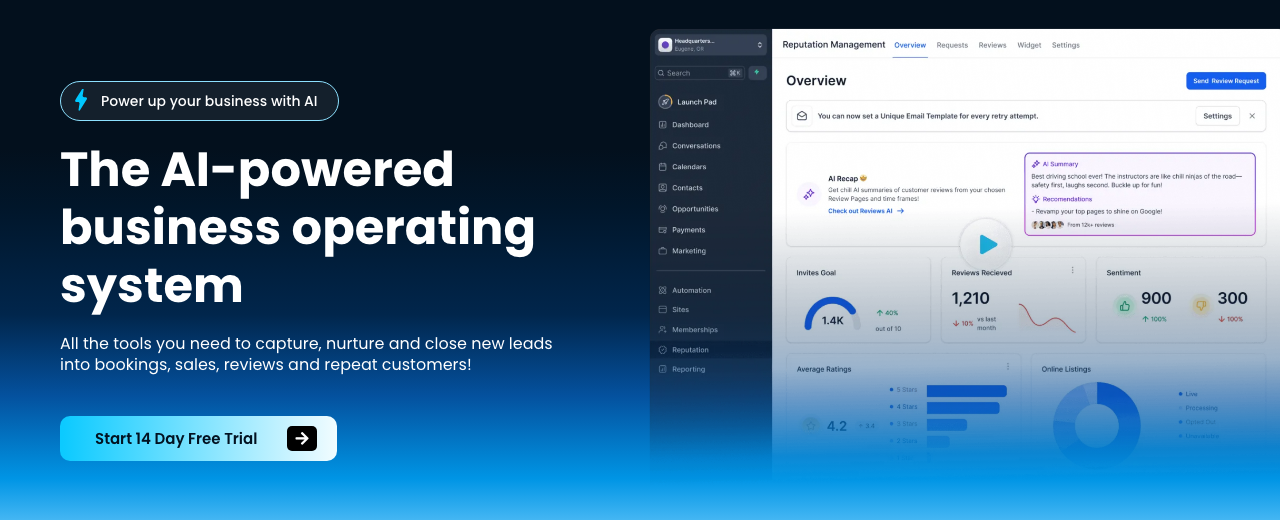
HighLevel — where you'll do this
Step 9 — 📅 Wire scheduling and CRMs
Make the agent bookable. Connect calendars, pipe leads to the CRM, and enforce speed‑to‑lead so inquiries are answered instantly.
| Platform | What to do in this step |
|---|---|
| GoHighLevel | Connect Google Calendar or Jane App. Map intents to appointment types. Enable speed‑to‑lead for website form/chat. Route captured data into Contacts/Opportunities. Ring the team first; if no answer, forward to the AI agent to capture/qualify and book. |
| Google AI Studio | Create a function/tool in AI Studio to call Cal.com or Google Calendar booking APIs. Post qualified leads to your CRM via webhook. Use system instructions to confirm times, summarize, and store transcript/notes. |
| ChatGPT (Custom GPTs) | Define an Action that POSTs collected fields to a webhook handled by Make/n8n/Zapier, which books via Cal.com/Google Calendar and updates the CRM. Keep the GPT focused on FAQs and qualification. |
Speed‑to‑lead wins revenue—reply instantly and book in the same session whenever possible.
Income Forecast
Put the agent on a phone line and extend to web chat/SMS/social. Keep the owner in the loop with notifications.
| Platform | What to do in this step |
|---|---|
| GoHighLevel | Purchase a local/toll‑free number. Assign to the Voice AI agent. Set: ring the business first; if no answer, AI picks up and books. Link live chat widget to the site, SMS, and social DMs. In Launchpad, connect Google Business Profile, Facebook Page, and WhatsApp (for non‑US). |
| Google AI Studio | Provision a Twilio number. Connect inbound call/SMS webhooks to your AI Studio agent and booking/CRM endpoints. For website, embed a lead‑gen form powered by the agent via the Live API. |
Position the AI as augmenting staff—not replacing them. It catches after‑hours/missed calls and eliminates hold times.
Step 11 — 🔗 Automate routing and data logging
Use your automation platform to catch webhooks, enrich data, call APIs, and update the CRM/calendar. Build from the final action backward and test each module before adding the next.
| Platform | What to do in this step |
|---|---|
| Make.com | Trigger: Webhook → HTTP Request. Set URL, method, headers (Authorization: Bearer [TOKEN], Content‑Type: application/json). Send JSON body to CRM/Calendar. Log results; handle retries. |
| n8n | Trigger: Webhook → HTTP Request. Import a working curl example to auto‑fill details. Map fields, parse JSON, and branch by qualification. Store logs; notify owner on new bookings. |
| Zapier | Trigger: Webhooks by Zap → CRM/Calendar actions. Use Code/Formatter for transforms. Add filters for lead quality. Send owner notifications via SMS/Email immediately. |
Test webhooks with the simplest request you can make (even from your browser). Prove the last step first.
Step 12 — 🔐 Secure credentials and ship your first API call
Add API keys (e.g., Anthropic, Perplexity, Gmail) to your automation’s secure fields. Check the API’s auth type (Bearer/API key/OAuth), copy a working example from docs, and send the smallest request that returns data.
Set headers correctly (Content‑Type: application/json). Verify endpoints and encodings to avoid 404/Unicode issues, then expand to full payloads.
If an API fails, re‑read the auth section and test with a minimal payload; 80% of errors are headers, auth, or URL typos.
Step 13 — ✅ Test end‑to‑end
Call the assigned number and interact like a real customer. Confirm it sounds natural, answers FAQs from your knowledge base, collects required info, and books correctly. Verify CRM/contact creation and owner notifications.
Add one improvement at a time (new question, new branch), test it, then continue.
Demo the live bot on your sales calls—seeing it work flips hesitation into commitment.
Step 14 — 🤝 Close with ROI and risk reversal
Lead meetings by quantifying time saved, errors reduced, and revenue impact—not AI architecture. Use an assumptive close and frame pricing against ROI. When they ask about tech, give a short explanation then pivot to outcomes.
Use cognitive dissonance if needed: offer to send them leads you already captured rather than selling a system.
All right, [NAME], I’ll send over the proposal with details and we’ll get your AI receptionist live. Sound good?
If you’re not happy when I deliver, or it doesn’t deliver the value we discussed, you’ll get all your money back.
Business owners buy results: more revenue, lower cost, lower risk, or unfair advantage. Keep every sentence tied to one.
Step 15 — 📄 Scope, terms, and onboarding
Write a simple scope: objectives, inclusions, exclusions, timeline, client expectations, and payment terms. Set clear boundaries on what the product does/doesn’t do and define your data/notification flows.
Collect brand assets, question banks, calendars, and required integrations (CRM, Jane App, Cal.com).
Don’t justify effort—anchor value to outcomes and the agreed deliverables.
Step 16 — 🚀 Go live and notify
Assign the agent to the new phone number and publish. Enable notifications to the owner for new appointments and conversations. Show the final package with brand colors and sample content so clients see the finished product, not a roadmap.
Set the AI to auto‑answer if the team doesn’t pick up—missed calls are missed revenue.
Step 17 — 🧮 Target ‘missed‑call’ verticals with math
Find local businesses that miss calls (search Google for plumbers/dentists/roofers/chiropractors + your city). Do the math with the owner: each missed call can equal lost revenue (e.g., $1,000/job at 25% conversion = $250 per missed call).
Offer a receptionist retainer that costs less than one missed call per month, then expand with follow‑up and reviews.
Don’t deploy voice AI where a tiny conversion dip is catastrophic (very low volume, ultra‑high ticket).
Step 18 — 💸 Price for outcomes, not effort
Anchor pricing to ROI. Typical voice AI receptionist: $300–$500/month with minimal maintenance; premium 3‑month packages can reach thousands depending on scope and bundled leads/tools. Consider pay‑for‑performance structures when you can measure bookings or revenue reliably.
Shift from one‑off projects to retainers or revenue‑share once consistent results and partner promotion are in place.
Selling templates is commoditized; custom, ROI‑tied outcomes command better margins and longer relationships.
Step 19 — 📢 Build distribution and lead magnets
Create branded lead magnets from a single prompt (checklists, mini‑guides) and post where your buyers hang out. Repurpose long‑form content with Opus Clips and Descript; experiment with VO3 for remixing.
Post consistently and engage in threads; distribution is the moat in an AI‑mediated economy. Batch similar tasks for efficiency (all cold emails at once, all proposals at once).
Avoid the ‘AI content farm’ trap—faceless AI channels monetize poorly. Publish useful, specific results.
Step 20 — 🛠️ Advanced: code agents and micro‑apps (optional)
Use AI coding assistants to vibe‑code micro‑apps (Google AI Studio) or pair‑program (Claude Code in VS Code). Pick models by task: Haiku (fast/cheap), Sonnet (balanced), Opus (complex). Allow edits/bypass prompts so the agent can write/run code. Use slash commands (/clear, /context, /compact, /slr) to manage context and token use.
Deploy always‑on processes on a VPS (Hostinger), push to GitHub, and schedule runs with trigger.dev or Modal. Instruct code agents in natural language to self‑diagnose and fix errors.
Keep apps thin and focused. Complex all‑in‑ones slow you down and don’t sell better.
Step 21 — 🤖 Add adjacent agents and workflows
Expand into sales bots, document processors, operational bots, and internal Slackbots (onboard faster using internal docs). Build SMS‑based companions (e.g., travel tips) with Twilio. Package proven automations by persona and industry.
Be deliberate where you apply AI—focus on repeatable, higher‑volume processes where small errors aren’t costly.
Most businesses want battle‑tested wins, not cutting‑edge experiments. Lead with consistent ROI.

Twilio — where you'll do this
Step 22 — 📊 Retain with reporting and check‑ins
Track pre/post metrics: hours saved, errors reduced, bookings, and revenue. Use DashThis for dashboards. Send proactive monthly summaries and meet quarterly to propose upgrades.
Collect testimonials and referrals once results are stable. Use case studies that show outcomes first, then the system.
Skipping recurring check‑ins leaves money on the table—upsells follow proof.
Step 23 — 📈 Scale with systems, not headcount
Win multiple clients on retainers before hiring. Outsource cold calling and repeat ops. White‑label HighLevel if it fits your model. Stack agents/workflows and keep humans for negotiation, nuance, and relationships.
Only build a team after you’ve worn all hats and documented processes. Productize offerings once you have consistent transactions and partner‑driven promotion.
Consistently execute revenue‑generating activities; avoid busy work (pixel‑perfect sites, endless branding tweaks).
Mistakes to avoid
Talking about AI instead of time/money/ROI tanks close rates.
Multi‑agent Rube Goldberg machines break. Build from the end and test each piece.
Low‑volume, high‑ticket niches can’t absorb small conversion dips from AI.
Skipping recurring check‑ins, dashboards, and proof loses renewals and upsells.
Avoid templating before you’ve learned patterns via custom projects.
Vague inclusions/exclusions ruin margins and delivery quality.
Copy‑pasted cold emails saturate quickly; personalize with AI research.
Too‑cheap assessments kill perceived value and reduce conversions.
Income Forecast
Resources


Table of Contents
This guide is 1% of what members get
All 7 tools, 100+ grounded playbooks and 252 vetted tools, prompts and repos — on one membership.
Land your dream job. Start your dream business.
Swipe real ATS jobs — we fill out and submit each application.
Score your resume 0–100 against live roles before you apply.
Recruiter-tested one-page resume, auto-built from your LinkedIn.
Paste a job link — get tested + your fastest study path.
252 vetted tools, prompts, repos and GPTs across 86 categories.
338,947+ live ATS jobs across 18,000+ company boards.
100+ grounded, step-by-step income playbooks.
Join free today — All-Access is $7 for 7 days, then $27/month. Cancel anytime.
Learn More →