
AI Career Tools: Launch a Profitable AI Agent & Automation Service
Win clients, deploy AI voice/chat receptionists and automations, and grow monthly retainers—without bloated tech or vague promises.
What you'll build
A client-winning AI agent service that installs a voice/chat receptionist, connects calendars and CRMs, and runs automations that book appointments and capture ROI. You’ll use one of several primary platforms to build the agent, wire APIs and webhooks, ship a simple prototype fast, and turn it into monthly retainers.
You’ll also stand up lean lead generation, run consultative sales, deliver paid audits, and scale with reporting, upsells, and partnerships.
- Deployed AI receptionist (voice/chat) that books appointments
- Automations via Make/n8n/Zapier with live webhooks
- Consultative audit offer and ROI-focused sales
- Simple website + pre-sell to validate demand
- Retainers, reporting, and upsells to grow MRR
Platforms & tools


Step 1 — 🎯 Pick a niche with repeatable pain
Choose one industry you already understand where missed calls and slow lead follow-up cost money (e.g., plumbers, dentists, roofers, chiropractors). Favor high-volume, lower-ticket services where a small lift in speed-to-lead or pickup rate compounds.
Avoid low-volume, high-ticket categories where even tiny conversion drops are costly. Filter prospects by titles like founder, owner, partner, CEO, CXO for fast decisions.
Hyper-niche to AI receptionists first. It’s less crowded than “general AI automation” and big agencies won’t chase small, unscalable installs.

nano banana — where you'll do this
Step 2 — 🧭 Diagnose with SCAN and 5–10 interviews
Run SCAN: Study their workflows, Calculate wasted time/cost, Architect a simple fix, Narrate projected results. Talk to 5–10 businesses; do secret shopper calls to hear current intake speed and tone.
Ask where they lose time, money, and focus; who fixes it now; and what “a good week” would look like with fewer dropped leads.
Ask with genuine curiosity:
- What’s the biggest bottleneck in your week?
- Where are you paying people to copy/paste or chase info?
- What interrupts you most between 9 and noon?
- What do you think about AI and where is it going?
- If I removed one weekly fire, which one changes your week?
Imagine 10 AI-enabled competitors aiming at your clients. Design what they’d build—and beat it with clearer offers and faster lead handling.
Step 3 — 📝 Craft a one‑page offer and landing page
State problem, promise, timeline, price, deliverables, and guarantee on one page. Spell out revenue impact, cost reduction, and time leverage before any tech details.
Stand up a simple page with bolt.new, Carrd, Webflow, or Framer. Validate one use case (e.g., AI receptionist that books appointments in under 60 seconds).
Agents will soon compare vendors and buy in seconds. Use clear pricing, inclusions/exclusions, and expectations so both humans and AI can parse your offer.
Step 4 — 📣 Warm outreach and local presence
Text your network: “Who do you know that needs an AI-powered chief of staff to get back 10–15 hours/week?” Host office hours at coworking or realtor offices to collect audits.
Start a local meetup via Meetup or Luma. Partner with people already discussing the problem; offer referral incentives. Post helpful content and engage owners directly.
 MeetupStart an AI meetup to establish authority↗
 LumaHost events and manage RSVPs↗
Consistently do revenue activities—calls, DMs, emails—over busywork like polishing logos. Distribution is your moat.
Step 5 — 🧑⚖️ Run consultative discovery (70/20/10 + LRP)
Spend 70% on business problems/goals, 20% on outcomes-based solutions, 10% on objections/next steps. Use LRP: Listen, Repeat, Poke to quantify impact (hours, errors, refunds, churn).
If asked about tech, give a brief simple explanation and pivot back to ROI. Close assumptively and keep momentum.
Subject: [Personalized hook for [Name]]

Hi there, I'm [NAME] from [FIRM]. Quick chat to learn about your business and day-to-day so I can spot where AI gives you time back. Ready to start?
- What do you do in your business?
- Tools you use daily?
- Biggest headache right now?
- Team setup? Who handles intake?
- What would a great week look like if intake ran itself?
Use during discovery:
Listen → Let them describe the workflow.
Repeat → "So the pattern is [X]. Did I capture that?"
Poke → "Whose hours are those? What's their hourly value? How often does this cause rework/refunds/churn? Which weekly fire, if removed, changes your week?"
All right, [NAME], I’ll send over the proposal with details. Sound good?
Front-load proof—show examples/results before tech. Handling objections is easier when you diagnose first and prescribe second.
Step 6 — 🧠 Align on outcomes, not tools
Lead with results: make/save money, reduce risk, gain an edge. Audit your messaging; reduce mentions of “AI” if it distracts from outcomes.
Shift from “tell me what to build” to “I’ll diagnose, then design.” Only do what AI can’t: talk to people, negotiate, understand nuance, handle feelings.
Step 7 — 🧩 Pick your stack and commit 90 days
Pick one automation platform (Make, n8n, or Zapier) and one agent platform (GoHighLevel, Google AI Studio, or ChatGPT) and commit for 90 days. Start with custom projects to pay down knowledge debt fast.
Launch manually via a concierge approach before automating everything. You can reach solid technical capability in 3–4 weeks of consistent learning.
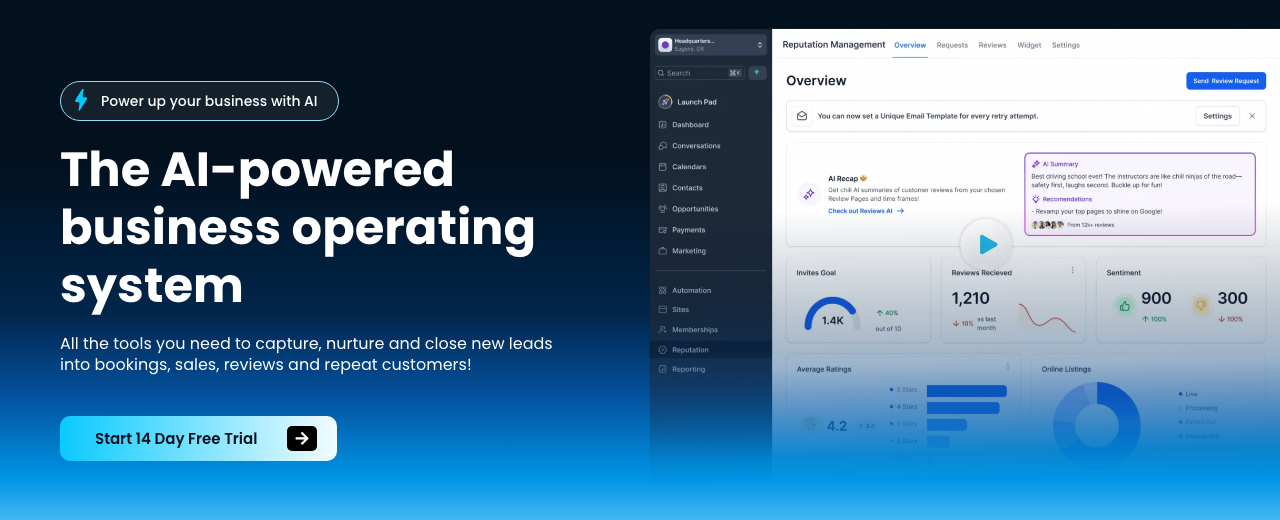
HighLevel — where you'll do this

N8N — where you'll do this
Step 8 — 🔑 Ship one working API call and webhook
Understand APIs as URLs you POST/GET with auth to exchange data. Find auth, copy a cURL example, and get a minimum viable call working. Create a webhook URL to receive data; trigger it from a browser or task app to verify.
Start from the end (final action) and work backward. Add one module at a time and test thoroughly (test-driven development) to isolate errors quickly.
APIs often unlock more power than drag‑and‑drop integrations. Use them when templates fall short.
Step 9 — 🛠️ Set up your developer agent (Claude Code)
Choose your interface (terminal, desktop, web, IDE extension, or VPS). Pick model by task: Haiku (fast), Sonnet (balanced), Opus (complex, high tokens). Use slash commands like /context, /compact, /clear, /slr to manage history.
Allow accept-edits or bypass mode when safe, and instruct it to self-diagnose and fix errors. Integrate with VS Code; push to GitHub; schedule runs with trigger.dev or Modal; host on a VPS for always-on agents.
When stuck, describe symptoms and last change in natural language and ask the code agent to propose and apply the smallest reversible fix.
Step 10 — 🧪 Build a simple agent prototype
Create a voice/chat agent named after the business. Configure its initial message, goals, and data capture (name, email, address, plus industry-specific qualifiers like insurance). Keep scope tight—proof of concept over perfection.
| Platform | What to do in this step |
|---|---|
| GoHighLevel | Create a Voice AI agent; set intro using the business name; configure data capture fields; add an appointment booking action; save. |
| Google AI Studio | Create a voice/chat agent using Gemini; define system instructions (goals, tone, required fields); enable live API for conversational forms. |
| ChatGPT | Build a Custom GPT trained on client data; set instructions to collect contact details and FAQs; plan web chat handoff (no native telephony). |
You are a helpful, friendly, and personal AI agent for [BUSINESS]. Your primary goal is to collect the user's full name, email, and [CLIENT-SPECIFIC FIELD(S)]. Be conversational and engaging. Once you successfully collect all required information, call the [SUBMIT_LEAD] function with the captured fields. Do not ask for other personal information. Introduce yourself before starting.
Be explicit in system instructions about required fields and when to call the submit function. Clarity prevents meandering conversations.
Step 11 — 📚 Train on client data and tune tone
Create a knowledge base and use a web crawler to ingest the site (About, Services, Reviews, Service Areas). Allow the bot to read current pages for specifics. Adjust advanced prompts to fit brand voice and escalation rules.
For chat-first offers, create Custom GPTs trained on client packages to deflect FAQs and reduce team load.
Step 12 — 🌐 Connect channels, telephony, and routing
Integrate live chat on the website and link SMS and social channels. Buy a local or toll-free number, set call flows to ring the client/team first, then the AI if unanswered. Link Google Business and Facebook pages; use WhatsApp outside the US when needed.
| Platform | What to do in this step |
|---|---|
| GoHighLevel | Purchase a number; assign to the Voice AI agent; set ring order (team first, then AI); enable SMS and social inbox; connect GMB/Facebook/WhatsApp in Launchpad. |
| Google AI Studio | Publish the voice agent through Twilio; configure number → function routing; set fallback to human if the agent fails to capture required fields. |
| ChatGPT | Embed chat on the website; connect lead submission via webhook to your CRM; for voice, use an external telephony layer (e.g., Twilio) that invokes the GPT logic. |
Be transparent that it’s AI. Users accept voice agents when the experience is faster and clearer than traditional phone trees.
Twilio — where you'll do this
Step 13 — 📅 Bookings, calendars, and speed‑to‑lead
Connect Google Calendar/Jane via webhook or Cal.com. Configure the agent to auto-answer missed calls and instantly message website leads to book. Notify owners of new appointments across channels so follow-up is prompt.
Step 14 — 🔗 Automations with Make, n8n, or Zapier
Wire lead capture to CRM, calendar, and notifications with your chosen automation platform. Add one step at a time and test each path. Keep credentials organized (e.g., Anthropic, Perplexity, Gmail) and send/receive JSON consistently.
| Platform | What to do in this step |
|---|---|
| Make.com | Use HTTP module; set URL, method, Authorization: Bearer [TOKEN], Content-Type: application/json; send minimal JSON; test scenario. |
| n8n | Add HTTP Request node; import a working cURL to auto-fill; chain nodes to transform/route data; test via the built-in execution log. |
| Zapier | Use Webhooks by Zapier for catch/POST; map fields to apps; add filters/paths; test each Zap version before turning on. |
Start from the final action (e.g., calendar created) and work backward so you don’t overbuild dead-end paths.
Make.com — where you'll do this
Step 15 — ✅ QA with test calls and a 60‑second demo
Call the linked number and verify the agent’s tone, routing, and field capture. Record a 60‑second demo showing intake-to-booking. On sales calls, live‑dial the bot to prove it works.
Timebox builds: ~15 minutes plan, 60 minutes build, 15 minutes record demo—then iterate.
Agent: Hi! I’m the AI receptionist for [BUSINESS]. I’ll get you scheduled fast. Can I grab your full name and email?
Caller: [NAME], [EMAIL].
Agent: Thanks, [NAME]. What service are you looking for? Any insurance or special notes?
Caller: [DETAILS].
Agent: Perfect. I’ll book you for [DATE/TIME] and text confirmation. Anything else before I lock it in?
Show a finished product, not a deck. Seeing their brand colors and intake flow live flips hesitation into commitment.
Step 16 — 💳 Package, pricing, and guarantees
Position the service as augmenting staff, not replacing jobs. Price the receptionist on a monthly retainer; frame value in ROI terms (missed calls, conversion lift, saved headcount). Offer a performance-backed guarantee.
For advanced bundles, include lead capture, follow-up sequences, and added automations over 90 days.
Subject: [Personalized hook for [Name]]

Hey [NAME], you’re doing [PROCESS] manually ~[HOURS]/week. At $[HOURLY], that’s $[WEEKLY_COST]/week ($[MONTHLY]/mo; $[YEARLY]/yr). If I build a system that eliminates it, you get back [HOURS] monthly and ~$[SAVINGS]/mo in value. Paying $[PRICE]/mo is a no‑brainer given the [SAVINGS]/mo upside.
If you're not happy with it when I deliver it, or it doesn't deliver the value we discussed, you'll get all your money back.
Compare savings to any potential conversion drop. In high‑ticket sales, even small dips matter—pick high‑volume services for receptionist installs.
Step 17 — ✉️ Personalized outbound that pays
Target with Apollo or LinkedIn Sales Navigator; filter by owner/partner/CXO titles. Scrape context with Ampify and use AI to draft personalized icebreakers. Send with Instantly and batch tasks (list build, then personalize, then send).
Lead with value and social proof; cold email is digital door‑knocking—make it useful.
Subject: [Personalized hook for [Name]]

Hey [NAME], I built a workflow that solves [X PAIN]. I’ve got a 60‑second demo showing it end‑to‑end. Want me to set it up for you?
Subject: [Personalized hook for [Name]]

Hey [NAME], you’re doing [PROCESS] manually ~[HOURS]/week. At $[HOURLY], that’s $[WEEKLY]/week; $[MONTHLY]/mo; $[YEARLY]/yr. I can automate it and give you back [HOURS]/mo. If the system is $[PRICE]/mo, you’re still netting ~$[NET]/mo.
Subject: [Personalized hook for [Name]]

Hey [NAME], I'm mapping the top drains in [NICHE]. In 15 minutes, I’ll quantify your biggest bottleneck and show where AI helps (and where it doesn’t). No pitch unless you ask—just trying to be useful.
Subject: [Personalized hook for [Name]]

Hey [NAME], I redesigned your website using AI. Here it is: [LINK]. If this seems interesting, let me know. If not, your marginal cost was basically nothing.
Use genuine personalization from scraped context; avoid word‑for‑word templates. Market saturation happens fast if you blast the same copy.
Step 18 — 📋 Sell and deliver paid audits
Offer a paid assessment of operations, systems, and processes to find quick AI wins. Record the Zoom, feed the transcript to Claude to suggest off‑the‑shelf tools, deliver a concise report within 48 hours, and book a 30‑minute review to upsell implementation.
Warm intros and local CEO groups are great for early audits; price for perceived value, not rock‑bottom fees.
Subject: [Personalized hook for [Name]]

Hey, I've attached the transcript of a conversation I had with a [NICHE] business owner. Your job is to find off‑the‑shelf AI or software tools that fix the pain points in the transcript. Return a table with tool, why it fits, estimated effort, and risks.
1) Revisit goals and constraints
2) Walk through the audit highlights and projected ROI
3) Q&A on risks, edge cases, and handoffs
4) Implementation plan, timeline, and pricing
5) Next steps and scheduling
Step 19 — 🧪 Pre‑sell to a waitlist
Validate demand by pre‑selling your solution before scaling. Email your waitlist with an early‑adopter offer and a payment link; describe the experience as if it already exists and deliver manually for the first cohort.
Subject: Early access — AI receptionist that books in <60s for [NICHE]

We’re opening [X] early‑adopter slots for [CITY/REGION] to install an AI receptionist that answers missed calls and books instantly. Setup takes ~[DAYS], includes [INCLUSIONS], and we’ll measure [KPIs].

Founding rate: $[PRICE]/mo for [TERM]. If we don’t hit the agreed value, you get your money back. Grab a spot: [PAYMENT_LINK]

— [NAME], [FIRM]
Step 20 — 🚀 Handover and owner training
Brand the agent with client colors/content and walk the owner through live intake, booking, and notifications. Document escalation paths and how to pause/route to humans. Confirm who receives alerts and how quickly they follow up.
Step 21 — 📊 Prove value with reporting
Track speed‑to‑lead, booked appointments, answered vs missed calls, and closed‑won influenced by the agent. Automate dashboards with DashThis and schedule proactive reviews. Use insights to suggest incremental improvements or upsells.
Step 22 — ➕ Upsells: content, chat, and niche apps
Bundle social content and DM automations (Ask AI for calendars; Workflow AI for comment→DM). Repurpose long‑form video with Opus Clips/Descript; experiment with VO3 for remix workflows. Use Gamma for branded reports.
For specialty builds, use AI Studio’s Gemini for native video/image understanding, or prototype niche AI apps (e.g., travel SMS companions) and thin, focused tools. Optional: Manas.ai to spin up a quick full‑stack draft from a prompt.
Step 23 — 🔁 Retainers, productization, and delivery scale
Shift from one‑off projects to retainers with guaranteed outcomes. White‑label GoHighLevel to package recurring value. Use proven automation templates and adapt to industry; stack agents and workflows, looping yourself in only for high‑leverage calls.
Sequence your path: freelance builds → consulting → (maybe) agency. Only build a team once your skills, confidence, and processes are solid. Consider a venture‑studio mindset to test multiple offers with minimal overhead.
Step 24 — 📣 Build distribution as your moat
Partner with creators and communities already discussing the pain; offer rev‑share or referrals. Publish specific case studies that lead with results first, AI second. Keep campaigns fresh; don’t hammer the same list with identical messages.
Step 25 — 🧾 Set expectations with a clear scope
Write a scope document: objectives, inclusions, exclusions, timeline, client expectations, and payment terms. Explain implementation simply and tie each step back to ROI, not architecture.
Step 26 — 🔄 Continuous improvement
Review each workflow and ask: If starting from zero, would we do it the same? Re‑prompt to reduce edge cases. Be intelligent about where to apply AI; avoid error‑sensitive, low‑volume processes. Track metrics and proactively show value to earn renewals and referrals.
Mistakes to avoid
Templates and generic chatbots are commoditized. Tie every deliverable to time/money/focus.
Multi‑agent complexity, stitched vendors, and academic builds kill speed. Ship a simple prototype first.
Low‑volume, high‑ticket funnels can’t absorb small conversion drops. Pick high‑volume use cases.
Perfecting sites/cards drains time. Do daily outreach, calls, and demos instead.
Skip one‑size‑fits‑all early. Custom projects teach fast and create proof.
Charging token fees lowers perceived value and upsell success.
Build from the final action backward and test each module.
Set clear scope and expectations. Don’t justify hours—justify outcomes.
Income Forecast
Resources
 Google AI StudioDocs and examples for building voice/chat agents↗MeetupHost a local AI meetup↗LumaEvent pages and RSVPs↗
 UpworkFind clients for AI automations↗
 FiverrQuick gigs to build proof↗
 ToptalPremium client marketplace↗
 MaltEU‑focused freelance marketplace↗
 FuturepediaAI tools directory for research↗
 AI For ThatDiscover tools by use case↗
 Bolt.newSpin up a simple site fast↗
 CarrdOne‑page sites for offers↗
 WebflowNo‑code websites↗
 Cal.comBooking and calendar links↗
 HostingerVPS for always‑on agents↗
Table of Contents
This guide is 1% of what members get
All 7 tools, 100+ grounded playbooks and 252 vetted tools, prompts and repos — on one membership.
Land your dream job. Start your dream business.
Swipe real ATS jobs — we fill out and submit each application.
Score your resume 0–100 against live roles before you apply.
Recruiter-tested one-page resume, auto-built from your LinkedIn.
Paste a job link — get tested + your fastest study path.
252 vetted tools, prompts, repos and GPTs across 86 categories.
338,947+ live ATS jobs across 18,000+ company boards.
100+ grounded, step-by-step income playbooks.
Join free today — All-Access is $7 for 7 days, then $27/month. Cancel anytime.
Learn More →