
AI Canva Templates: Build, Sell, and Scale
Launch a niche, outcome-driven AI template business that delivers branded assets and automations clients actually use — with an optional AI receptionist add-on. Validate fast, sell on ROI, deliver reliably, and scale on retainers.
What you'll build
A streamlined AI template business that produces branded lead magnets, social content packs, infographics, and short video templates — plus an optional AI receptionist/voice agent that books appointments and captures leads. You’ll validate with a one-page offer, sell using ROI-first discovery, deliver reliable automations, and grow on monthly retainers.
- A niche, outcomes-first offer and landing page
- Branded template packs (docs, posts, infographics, shorts)
- Optional AI voice receptionist with calendar + CRM
- API/webhook automations and speed-to-lead routing
- ROI tracking, case studies, and retainer model
Platforms & tools


Step 1 — 🎯 Pick a niche and outcome
Choose one buyer group with repeatable problems and the ability to pay fast. Prioritize high-volume, low average order value industries (e.g., home services, med spas, dental) where missed calls, slow follow-up, and content gaps hurt revenue weekly. State your core business outcome in plain language (time saved, money saved, revenue unlocked).
Hyper-niche beats general: lead with “AI receptionist + branded template pack” instead of broad “AI automation” to avoid competing with big agencies.
Step 2 — 🧪 Validate with a one‑page offer
Pre-sell with a simple landing page focused on one use case (e.g., “24/7 AI receptionist + done-for-you content kit”). Write exactly what you do, who it’s for, the price, deliverables, and turnaround. Describe it as if it already exists, include a short demo, and add a waitlist or early-adopter checkout to test demand quickly.
Clients value outcomes, not architecture. Keep copy ROI-first and specific; they don’t need a tech deep-dive to say yes.
Step 3 — 📇 Build a warm pipeline fast
Message everyone you know: “Who do you know that’s looking for an AI-powered chief of staff that gets them 10–15 hours back weekly?” Post in communities, run free office hours at coworking/realtor hubs, and offer audits to warm contacts and local CEO groups. Use Apollo/LinkedIn Sales Navigator to filter titles (founder, owner, partner, principal, CXO) and map local businesses missing calls (plumbers, dentists, roofers). Start Upwork/Fiverr/Toptal/Malt threads for proof and early revenue. Partner with creators already talking about the pain and give referral incentives. Batch outreach (all emails, then all DMs) for momentum.
Unsexy methods compound: consistent DMing, introductions, and local walk-ins beat “perfecting your website.” Execute daily.
Step 4 — ✉️ Send ROI‑first outreach at scale
Scrape targeted audiences with Ampify, enrich via Apollo, and send personalized cold emails using Instantly. Automate laborious research with AI so each message is genuinely useful. Lead with quantified time/money impact and a 60‑second demo link. Use a foot‑in‑the‑door CTA (audit or 15‑minute mapping) instead of a hard sell.
Subject: [Personalized hook for [Name]]
Hey, I built a workflow that solves [X PAIN POINT]. I've got a 60-second demo showing how this system works. You want me to set it up for you?
Subject: [Personalized hook for [Name]]
Hey, you’re doing this process manually, which takes you [HOURS]/week. If you value your time at $[RATE]/hour, that’s $[WEEKLY]. Over a month, $[MONTHLY]. Over a year, $[YEARLY]. If I build a system that eliminates that work, you get back [HOURS/MONTH] and $[VALUE/MONTH]. Paying me $[PRICE] is a no‑brainer because over a year, you’re getting back [HOURS/YEAR] and saving $[SAVINGS].
Subject: [Personalized hook for [Name]]
Hey [NAME], I'm mapping the top drains in [NICHE]. In 15 minutes, I'll try to quantify your biggest bottleneck and share where AI actually helps and where it doesn't. No pitch unless you ask. I'm genuinely just trying to learn how I can provide value to businesses.
Subject: Redesigned Website Outreach
Hey, I redesigned your website using AI. Here it is: [LINK]. If this seems interesting to you, let me know. If not, your marginal cost was basically nothing.
Cold email is professional door‑knocking. Don’t blast the same message repeatedly to the same audience — it saturates quickly.
Step 5 — 🗣️ Run consultative discovery (70/20/10 + LRP)
Spend 70% asking about goals, bottlenecks, and costs, 20% presenting solutions framed by outcomes, 10% next steps. Use LRP: Listen to their week/process, Repeat the pattern to confirm, then Poke to quantify hours, error rates, and interruption costs. Nail revenue impact, cost reduction, and time leverage before mentioning tech. Ask, “What do you think about AI and where do you think it’s going?” to open the conversation, then pivot back to ROI.
Subject: [Personalized hook for [Name]]

Hi there, I'm [NAME] from [FIRM]. This is a quick chat to learn about your business and day-to-day so I can spot the best places AI can give you time back. You ready to get started? Great. What do you do in your business? What tools do you use daily? What's your biggest headache right now?
Use the LRP framework: Listen while they describe their week or processes, Repeat back the pattern to confirm alignment, then Poke to quantify it with questions like: whose hours are those? what's their hourly value? how often does this process result in an error? where are you paying people to copy/paste or chase info? what interrupts you most between 9 and noon? where do mistakes cause rework, refunds, or churn? if I could remove one weekly fire, which one changes your week?
Handle most objections upfront by deeply diagnosing the business before pitching — it makes closing straightforward.
Step 6 — 🔎 Diagnose pains and pick the first win
Talk to 5–10 businesses in your niche. Use SCAN: Study the business, Calculate the opportunity, Architect the solution, Narrate the results. Map each workflow and ask if you’d do it the same way from zero and where AI can take part/all. Research who currently fixes the problem (competitors, staff, agencies). Capture baseline KPIs: hours, errors, time-to-first-response, missed calls, and close rates.
Avoid high-value, low-volume processes — small conversion drops can be very costly in high-ticket sales.
Step 7 — ⚙️ Prototype one thing in 90 minutes
Plan 15 minutes, build 60, record a 15‑minute demo. Start from the end of the flow (final output) and work backwards so you don’t build dead ends. Use test‑driven dev: add one module, test it thoroughly, then add the next. Adapt proven automation templates instead of starting from scratch. Do custom projects early to pay down knowledge debt and learn fast.
Don’t overengineer with multi‑agent stacks or too many vendors. Thin, reliable flows beat complex ones.
Step 8 — 🧩 Build the core AI asset (choose a primary)
Pick one primary platform and build a minimal, testable asset: a voice AI receptionist, FAQ/chat assistant, or conversational lead‑gen form. Actions differ by platform:
| Platform | What to do in this step |
|---|---|
| GoHighLevel | Create a Voice AI agent named after the business. Customize the intro message, set goals (qualify/book), and knowledge base. Purchase/link a local or toll‑free number. Configure ‘ring team first’ then AI if missed; connect Google Calendar/Jane/Cal.com; enable speed‑to‑lead SMS; link Google Business Profile, Facebook, and WhatsApp (if applicable). |
| Google AI Studio | Create a voice/chat agent with system instructions to collect name, email, and reason for contact; define a submit‑lead function. Use Gemini for rich context (video/image if needed). Generate a conversational lead‑gen form for your site via the live API. |
| ChatGPT | Build a Custom GPT trained on client FAQs, services, policies, and pricing. Define tools/functions to schedule appointments and log leads. Expose via website widget or connect to SMS/DMs via webhooks/automation. |
| Make.com | Create a scenario with a webhook trigger. Add HTTP requests to LLM endpoints (authorization: Bearer tokens). Parse responses, branch logic, and push events into CRM/Calendar. Build from the final module backward. |
| n8n | Create a workflow with Webhook trigger. Use HTTP Request nodes and import cURL snippets to auto‑fill parameters. Map outputs to CRM and calendar nodes. Test each node before adding the next. |
| Manas.ai | Use ‘develop apps’ to generate a full‑stack app from a single prompt (lead capture + routing). Specify fields, actions, and integrations (Twilio, Gmail). Deploy and sync to GitHub for iteration. |
Voice AI agents see better adoption when you’re transparent it’s AI and the experience is faster than traditional hold music.

Make.com — where you'll do this
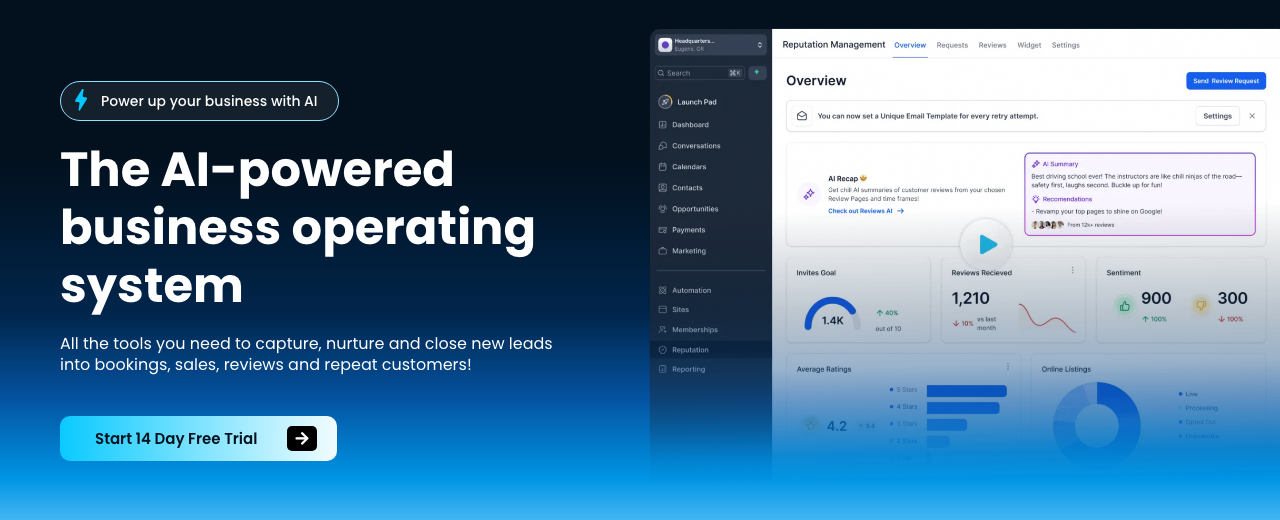
HighLevel — where you'll do this
Twilio — where you'll do this

N8N — where you'll do this
Step 9 — 🔗 Wire APIs and webhooks
Treat APIs as URLs that accept requests and return data. Find auth methods (keys, OAuth), copy a working example, and ship one minimum‑viable call. Create a custom webhook URL to receive events and trigger flows. Test webhooks via browser/ping or other services (e.g., ClickUp). Add all API keys/credentials to secure placeholders and version-control secrets carefully.
| Platform | What to do in this step |
|---|---|
| Make.com | HTTP module: set URL, method, headers (Authorization: Bearer [KEY]), Content‑Type: application/json, and JSON body. Log the raw response and map fields downstream. |
| n8n | HTTP Request node: import a cURL example to auto‑populate method, headers, query, and body. Inspect output, add Schema nodes, and branch on status codes. |
Native integrations are convenient, but raw APIs expose more parameters and power — use them when you need precision.
Step 10 — 📚 Train and prompt on client data
Create a knowledge base for the agent and crawl the client site (about, services, reviews, service areas). Add advanced prompt instructions to match tone and escalate when unsure. Combine industry‑specific question banks and client‑specific questions (e.g., insurance, availability). Configure required fields (name, email, phone/address) so every conversation yields complete lead data.
You are a helpful, friendly, and personal AI agent for [BUSINESS]. Your primary goal is to collect the user's full name, email, and [ANY OTHER REQUIRED FIELD]. Be conversational and engaging. Once you successfully collect all required information, call the [SUBMIT_LEAD] function. Do not ask for other personal information. Give the user a short introduction before starting.
Use a web crawler to auto‑train on site content so answers are specific without manual copy‑pasting.
Step 11 — ☎️ Connect channels and deploy
Embed chat on the website and connect SMS/social inboxes. Purchase a local/toll‑free number in GoHighLevel and attach the agent. Set ring‑through to the team first, then default to AI if missed, and auto‑book on the linked calendar (Google/Jane/Cal.com). Publish to a Twilio number if needed. Notify owners of new appointments/conversations instantly by SMS/email.
Ring the client team first. It keeps them involved and eases concerns about “AI taking over” while still catching every missed call.
Step 12 — 🎬 Test and demo live
Call the linked number and stress‑test: natural tone, accurate data capture, correct booking, graceful handoff. Record a concise walkthrough. On sales calls, live‑demo by dialing the business and showcasing speed‑to‑lead and booking in real time. Show the finished package with brand colors and content — not a slide deck.
A working demo that books an appointment beats any pitch — it shifts buyers from hesitation to commitment.
Step 13 — 🧰 Produce AI Canva‑style templates and assets
Create branded lead magnets and checklists with Google AI Studio from a single prompt and the client’s brand details. Use Gamma to output polished documents and slide decks from template structures. Generate infographics with nano banana and short video templates with VO3. In Ask AI, auto‑generate a 30‑day social calendar, vary post types, and schedule. Bundle assets as a reusable “template pack” for the niche.
Create a [GUIDE or CHECKLIST] for [NICHE] titled “[TITLE]”. Use [BRAND COLORS], [BRAND VOICE], and include sections: [SECTIONS]. Add 3 callouts with quantified benefits. Output clean headings, subheads, bullets, and a one‑page summary.
You are a social content planner for [NICHE]. Create a 30‑day calendar with varied formats (carousel, infographic, short video, testimonial, FAQ). Include captions, hooks, CTAs, and posting times optimized for [PLATFORMS]. Blend 70% value, 20% proof, 10% offer. Add asset prompts for each creative.
One strong prompt can output a full, client‑branded asset pack — iterate on tone and layout until on‑brand.

nano banana — where you'll do this
Step 14 — 💰 Price, package, and pre‑sell
Offer a simple monthly receptionist plan and a premium template + leads package. Frame pricing against ROI and missed‑call costs. Pre‑sell with an early‑adopter email to your waitlist including payment link. Write a clear scope: objectives, inclusions/exclusions, timeline, client inputs, and payment terms. Set expectations on what the product does/does not do.
Guarantees reduce friction: tie fees to measurable outcomes or offer a straightforward refund if value isn’t delivered.
Step 15 — 📝 Propose, handle objections, and close
In meetings, recap pains and ROI, then ask permission to send the proposal. Use the assumptive close: “I’ll send the proposal with details — sound good?” Keep tech minimal; highlight the measurable outcome and next steps. Confirm kickoff date and data access in the same interaction.
If you're not happy with it when I deliver it, or it doesn't deliver the value that we discussed, you'll get all your money back.
All right, [NAME], I’m going to send over the proposal with the scope, timeline, and first deliverables. Sound good?
Don’t justify hours worked — buyers purchase outcomes. Keep the conversation anchored to revenue/time impact.
Step 16 — 📑 Deliver audits and onboarding assets
Offer a paid audit: record calls with Fathom.ai, map systems, and quantify value leaks. Send the report within 48 hours and book a 30‑minute review. Use Claude to analyze transcripts and propose off‑the‑shelf tools, and generate follow‑up sequences and booking scripts. Deploy a speed‑to‑lead responder and website chat agent. Track baseline vs. after metrics and visualize ROI with Dash This.
Subject: [Personalized hook for [Name]]

Hey, I've attached the transcript of a conversation I had with a local business owner. Your job is to go out on the internet and find any AI tools or just any software tools that they can implement that are off-the-shelf that can fix the pain points that you've identified from the transcript.
Deliver the audit fast and quantify wins (hours saved, error reduction, lead response time) to make the next sale inevitable.
Step 17 — 📣 Build distribution and proof
Post short demos, before/after metrics, and mini case studies (results first, AI details second). Partner with niche creators for referral traffic. Use social proof by front‑loading examples of systems you’ve built. Package multiple tools for one persona to reach critical mass and improve conversion.
Distribution is your moat. Avoid busywork and show working systems — a single viral short can rival thousands in ad spend.
Step 18 — 🔁 Move to retainers and scale with agents
Shift from one‑off builds to retainers, ongoing advisory, or revenue share. White‑label HighLevel to package your system under your brand. Stack agents (reception, sales follow‑up, document processors, ops bots) and loop yourself in only for high‑leverage decisions. Outsource cold calling/ops when the playbook is repeatable. Productize only after consistent transactions and partner‑driven promotion.
Scale with the least headcount and only do what AI can’t: nuanced conversations, negotiation, prioritization, and relationships.
Step 19 — 🧠 Level up your technical core
Master four pillars: APIs, webhooks, prompting, and reliable development practices. Learn effective prompting with system (agent identity), user (task), and assistant (response style) roles. With 3–4 weeks of consistent learning you’ll be functional; pre‑commit 90 days to one automation platform for speed. If using a Cloud‑Code‑style AI dev environment, pick the right interface (terminal, desktop, web, IDE extension, or VPS), allow it to write/execute code (accept edits or bypass permissions), and run on a VPS for always‑on jobs. When errors occur (e.g., Unicode, wrong endpoints), instruct the agent to self‑diagnose/fix and use slash commands like /clear, /context, /compact, /slr to manage context. Push flows to GitHub and schedule runs via trigger.dev or Modal.
Use /context to monitor tokens and /compact to shrink history — keeps agents responsive on long build sessions.
Step 20 — 🧭 Position ethically where AI wins
Explain implementation simply and pivot back to ROI. Position AI as augmenting staff, not replacing them. Compare AI cost savings against potential revenue loss from conversion drops — in high‑ticket sales, even small drops matter. Be transparent that AI misses some nuance; use it where mistakes are low‑cost and throughput is high. Voice agents are well‑received when they’re clearly AI and faster than hold queues.
Pick battles where speed and coverage matter more than perfect persuasion — speed‑to‑lead beats silence.
Step 21 — 📈 Iterate messaging and campaigns
Audit your messaging — count AI mentions vs. business outcomes and trim hype. Mine sales/onboarding calls, emails, DMs, and comments for language that converts. A/B test responsibly; don’t abandon a campaign before enough data. Avoid blasting the same list with identical messages. Track hours saved, error rates, time‑to‑response, and money saved to produce case studies and proactive value updates.
Market saturation happens fast. Rotate angles, audiences, and offers rather than repeating the same sequence.
Step 22 — 🚀 Optional expansions and niche apps
Spin up thin, focused AI tools for specific pains (e.g., travel companions that text options via Twilio, room planners, micro‑estimators). Use Workflow AI for comment‑to‑DM automations. Package multiple micro‑tools for one persona. Explore AI‑to‑AI marketplaces and prepare offers that are clear, structured, and machine‑parsable.
Anything that scales trivially gets commoditized by big players — small, sharp tools win in niche problems.
Mistakes to avoid
Multi‑agent complexity and vendor sprawl slow delivery and don’t raise perceived value.
Talking about AI models instead of time, money, and revenue loses buyers.
Applying AI to low‑volume, high‑AOV sales where small drops destroy ROI.
Perfecting sites/cards over daily outreach and demos delays revenue.
Starting an agency without hands‑on delivery and scoping ruins margins.
Generic AI text/images are commoditized — tie to business pain and outcomes.
Recycling the same template to the same audience saturates and tanks replies.
Vague inclusions/exclusions and early handoffs blow up delivery and profit.
Risk‑averse or failing businesses expect miracles and become miserable projects.
No recurring check‑ins = missed testimonials, referrals, and upsells.
Requesting Loom recordings for assessments creates drop‑off; use voice agents instead.
Starting flows at the beginning wastes time; start from the end and test.
Blindly copying email templates without belief or relevance kills response.
Justifying time spent invites cost objections; anchor to ROI and outcomes.
Token $200 assessments reduce perceived value and upsell success.
Waiting for a stack of paid tools stalls action — ship with what you have.
General ‘AI automation’ competes with big agencies — niche to win.
Skipping custom work early leads to plateaus and slow learning.
Agencies with $15k revenue can net $5–6k after expenses; watch margins.
Faceless AI YouTube gets demonetized quickly; prioritize proven ROI plays.
Income Forecast
Resources


Table of Contents
This guide is 1% of what members get
All 7 tools, 100+ grounded playbooks and 252 vetted tools, prompts and repos — on one membership.
Land your dream job. Start your dream business.
Swipe real ATS jobs — we fill out and submit each application.
Score your resume 0–100 against live roles before you apply.
Recruiter-tested one-page resume, auto-built from your LinkedIn.
Paste a job link — get tested + your fastest study path.
252 vetted tools, prompts, repos and GPTs across 86 categories.
338,947+ live ATS jobs across 18,000+ company boards.
100+ grounded, step-by-step income playbooks.
Join free today — All-Access is $7 for 7 days, then $27/month. Cancel anytime.
Learn More →