
Service Business Ideas with AI: From Niche to Recurring Revenue
Pick a profitable niche, validate demand fast, and deliver high-ROI AI services (like voice receptionists and automations) that convert into retainers.
What you'll build
A focused, profitable AI service business built around a single wedge offer (e.g., AI receptionist/voice agent), validated quickly, sold with consultative discovery, and delivered with lightweight automation.
You’ll use primary platforms to build agents and automations, prove ROI, package into retainers, and scale with minimal headcount.
- Pick a high-need niche; validate with a one-page offer.
- Run discovery using ROI-first consultative selling.
- Build a voice/chat agent and backend automations.
- Launch, prove value, convert to monthly retainers.
- Scale by stacking agents, not hiring fast.
Platforms & tools


Step 1 — 🎯 Pick one niche and one painful problem
Choose a niche you understand (prior work, network, or proximity) with repeatable problems and fast pay cycles. Favor high-volume, lower-ticket workflows where missed calls or delayed follow-ups leak money daily.
Talk to 5–10 businesses; secret-shop competitors; search local plumbers/dentists/roofers/chiropractors in your city to spot missed-call or slow-reply gaps. Filter buyers by titles (Founder/Owner/CEO/COO/Partner/Principal/President/CTO/CXO).
Hyper‑niche your first offer to AI receptionists/speed‑to‑lead instead of “general AI automation.” Big agencies dominate broad pitches; focused, boring problems win.
Step 2 — 🧭 Diagnose with SCAN and ROI first
Use SCAN: Study the business, Calculate the opportunity, Architect a simple solution, Narrate results in plain language. Nail three points before tech: revenue impact, cost reduction, time leverage.
Lead conversations around constraints and ROI, not tools. Reframe from “tell me what to build” to “let me find what actually moves your numbers.” Be selective: avoid high-value, low-volume processes where small conversion drops are costly.
Clients buy outcomes, not AI. Give a brief tech overview only if asked, then pivot back to money saved, money made, risk reduced, or focus regained.
Step 3 — ⚡ Validate fast with a one‑page offer and pre‑sell
Ship a simple page that spells out what you do, who it’s for, the price, deliverables, and turnaround. Pre‑sell by emailing a waitlist with an early‑adopter offer and payment link. Describe the solution as if it already exists to test demand.
Front‑load social proof (systems built, results achieved). Audit your messaging: count “AI” mentions and cut excess; emphasize tangible outcomes and guarantees.
Show a finished sample (with their brand colors/content) instead of a deck. Tangible demos shift hesitations to commitments.
Step 4 — 📣 Build your first pipeline
Text your network: “Who do you know that’s looking for an AI‑powered chief of staff to get back 10–15 hours a week?” Run unsexy channels: cold email, Upwork, Fiverr, Toptal, Malt, and niche communities.
Host free AI office hours at coworking/realtor offices; start a local meetup; partner with creators discussing the problem and offer referral incentives. Batch similar tasks (send all cold emails at once; submit Upwork proposals in blocks).
 MeetupHost a local AI meetup to establish authority.↗
 LumaSimple event pages for workshops/office hours.↗
 Google MapsFind local businesses likely missing calls.↗
Cold email is door‑knocking for pros. Personalize and be genuinely useful; post and interact where business owners already engage.
Step 5 — 🧰 Set your stack and minimum skills
Pre‑commit to one automation platform (Make.com, n8n, or Zapier) for 90 days. With consistent practice, you can reach sufficient technical capability in 3–4 weeks.
Master four fundamentals: APIs (requests/responses), webhooks (receive triggers), effective prompting, and test‑driven development. Prioritize revenue activities; only do what AI cannot (talking, negotiating, nuance, feelings).
Don’t stall buying/stacking tools. Start lean; most people lose months on busy work instead of prospecting, selling, and delivering.
Make.com — where you'll do this

N8N — where you'll do this
Step 6 — 🍱 Choose a starter service (menu you can sell now)
- AI Receptionist/Voice Agent: answers, qualifies, books, and notifies 24/7.
- Speed‑to‑Lead: instant replies to web leads; books appointments.
- Custom GPT/FAQ Agent: trained on client docs; handles common questions.
- Personalized Outreach Engine: automated research + tailored icebreakers.
- Content Repurposing & Infographics: VO3 video remixes; Nano Banana visuals; Gamma docs.
- KPI Dashboards: DashThis reporting to replace manual updates.
- Document & Ops Bots: intake, routing, and processing (quotes, invoices, SOPs).
- SMS Travel Companion: Twilio texting with options and recommendations.
- Comment→DM Automations: Workflow AI to drive qualified conversations.
Start with AI receptionists for quickest ROI and differentiation. Chatbots and VA services are crowded and commoditizing.

nano banana — where you'll do this

Twilio — where you'll do this
Step 7 — ☎️ Run discovery like a pro (LRP + 70/20/10)
Structure calls: 70% discovery questions, 20% outcome‑framed solutioning, 10% objections/next steps. Use LRP: Listen to their week/process, Repeat patterns to align, Poke to quantify time/cost/error impact.
Ask qualifying questions (e.g., views on AI, biggest weekly fire, interruptions, where errors cause rework/refunds/churn). Present solutions only after numbers are on the table; handle most objections upfront via consultative depth.
Subject: [Personalized hook for [Name]]

Hi [NAME], thanks for hopping on. Goal today: understand your day-to-day so I can pinpoint where AI gives you time back or boosts revenue. Quick questions to map the bottlenecks, then I’ll share options. Sound good?
Listen: Walk me through [PROCESS/WEEK]. What tools/people touch it? Repeat: I’m hearing [PATTERN], which eats [HOURS/WEEK] and causes [ERRORS/DELAYS]. Did I get that right? Poke: Whose hours are those at $[RATE]? How often do errors lead to [REFUNDS/REWORK/CHURN]? If I removed one weekly fire, which changes your week?
Use an assumptive close when aligned: “I’ll send a proposal with details next. Sound good?”
Step 8 — 💼 Scope, pricing, and set expectations
Write a clear scope: objectives, inclusions/exclusions, timeline, client responsibilities, and payment terms. Draft a one‑page, done‑for‑you offer: problem, promise, timeline, price, guarantee.
Price on value and ROI. Offer performance‑aligned guarantees where feasible. Compare cost savings vs potential conversion drops; for very high‑ticket sales, even small drops can outweigh savings—choose use cases wisely.
If you’re not happy when I deliver, or it doesn’t deliver the value we discussed, you’ll get all your money back.
Set expectations plainly: what the product does/doesn’t do, price, and timeline. Don’t sell complexity; sell outcomes.
Step 9 — 🧪 Prototype fast and demo live
Time‑box prototypes (~15 min plan, 60 min build, 15 min record). Build the final module first and work backward. Add one module at a time; test after each step.
Demo a real call or workflow live. Show the finished package with their branding. Use proven templates and adapt to the niche rather than reinventing.
Avoid asking clients to record Looms of workflows—high friction. A quick voice agent assessment call has far less resistance.
Step 10 — 🤖 Build the voice/chat agent
Create a simple, transparent agent users enjoy. Name it for the business and write an approachable first message. Keep goals explicit: collect info, answer FAQs, and book.
| Platform | What to do in this step |
|---|---|
| GoHighLevel | Create a Voice AI Agent; name it after [BUSINESS_NAME]. Customize the initial message to include [BUSINESS_NAME]. |
| Google AI Studio | Create a voice/chat agent; set concise system instructions and goals. Use the live API for a website voice widget or conversational lead form. |
You are a helpful, friendly, and personal AI agent for [BUSINESS_NAME]. Your primary goal is to collect the user's full name, email, and [NEEDED_FIELDS]. Be conversational and engaging. Once you have all fields, call [LEAD_SUBMIT_FUNCTION]. Do not ask for other personal information. Introduce yourself briefly before starting.
Voice AI gets better adoption when users know it’s AI and the experience beats traditional phone trees.
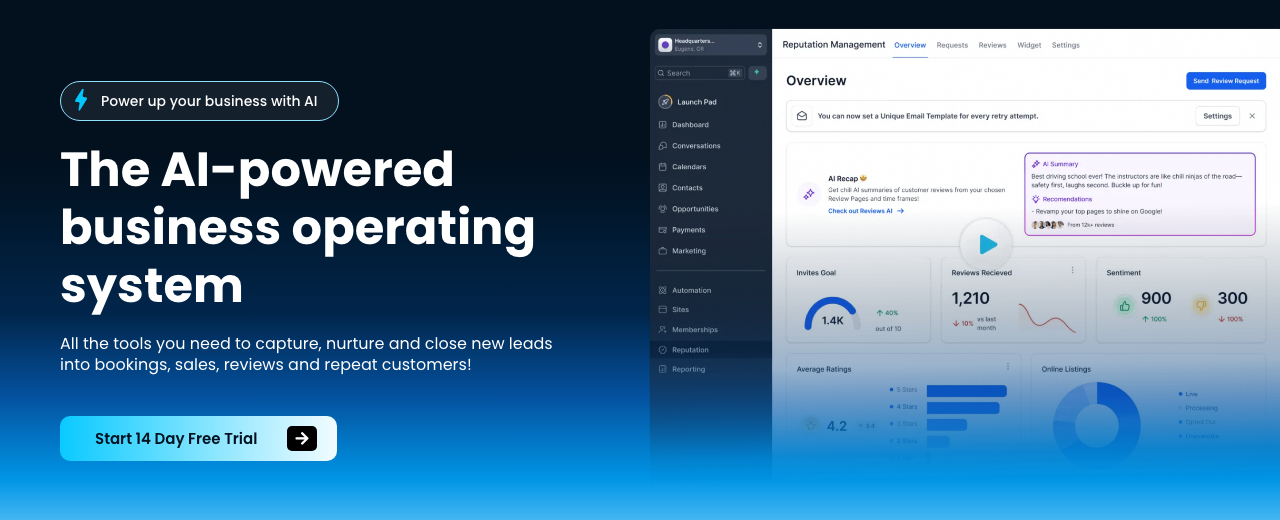
HighLevel — where you'll do this
Step 11 — 📚 Train the agent on the business
Feed the agent real content and task rules. Include website pages (about, services, reviews, service areas), tone guidelines, required data capture, and industry‑specific questions. Adjust advanced prompts to reflect the owner’s preferences.
| Platform | What to do in this step |
|---|---|
| GoHighLevel | Create a Knowledge Base; use the Web Crawler to ingest the business site. Allow reading of key pages. Add industry question banks; configure data capture (name, email, address, insurance or other fields). Tune Advanced Prompt and tone. |
| Google AI Studio | Add documents/URLs to the agent’s knowledge. Provide explicit system instructions (goals, tone, data to collect). Include industry‑specific question sets; set post‑collection action (e.g., submit lead or book). |
Collect only what’s essential. More required fields → more caller drop‑off.
Step 12 — 🔌 Connect phone, website, and channels
Route calls, messages, and web chats into the agent; book directly to calendars/CRMs; and notify owners instantly. Default to letting humans answer first; fail over to AI to catch missed revenue.
| Platform | What to do in this step |
|---|---|
| GoHighLevel | Buy a local/toll‑free number; ring the team first, then AI if no answer; set auto‑answer after [RINGS]. Assign the number to the Voice AI. Integrate Live Chat widget on the site; connect SMS and social inboxes. Link Google Page, Facebook, and WhatsApp (if outside US). Notify the owner on new appointments/conversations. |
| Google AI Studio | Publish the voice agent to a Twilio number; embed the live API widget for the website. Connect to Google Calendar/Jane via webhooks or Cal.com. Send owner notifications for new leads/appointments. Configure a speed‑to‑lead reply on web submits. |
Position AI as augmenting staff, not replacing jobs. Emphasize catching missed calls and after‑hours coverage.
Step 13 — 🧱 Wire backend automations (APIs & webhooks)
Start at the last step (e.g., create lead/appointment) and work backward. Use webhooks to receive triggers and HTTP nodes to call APIs. Build a minimum viable API call first; then expand parameters. Test after each module.
| Platform | What to do in this step |
|---|---|
| Make.com | Use Webhooks module to receive data; use HTTP module with URL, method, Authorization: Bearer [TOKEN], Content‑Type: application/json, and JSON body. Iterate from the final module; test each branch. |
| n8n | Create a Webhook trigger; use HTTP Request nodes; import a cURL example to auto‑fill auth/params. Add nodes one by one and validate outputs as you go. |
| Zapier | Catch Hook with Webhooks by Zapier; transform data; call external APIs; send to CRM/Calendar. Keep Zaps single‑purpose and chain only when necessary. |
API basics: an endpoint (URL) receives a request and returns data. Find auth first, copy a working example, and get one small call succeeding. Test webhooks with a simple browser request or any app that can POST.
Add credentials (e.g., Anthropic/Claude, Gmail) to placeholders securely. Adapt proven workflow templates to the client’s stack.
APIs often expose more power than drag‑and‑drop integrations—use them to unlock missing knobs.
Step 14 — 🧪 Test end‑to‑end and instrument value
Call the number; interact like a customer. Confirm natural voice, correct answers, required data captured, and booked appointments. Ensure instant owner notifications for new leads and speed‑to‑lead replies on web forms.
Track pre/post metrics: answer rate, appointment rate, hours saved, errors reduced, revenue impact. Build dashboards (e.g., DashThis) and share proactive updates. Typical uplift reported for better pre‑qualification is 10–20% (example‑only).
Don’t miss replies. Turn on notifications for owner and you; delayed follow‑up tanks conversions.
Step 15 — ✉️ Personalize outreach at scale
Scrape prospects (Ampify), enrich with Apollo/LinkedIn Sales Navigator, and send via Instantly. Use AI to generate personalized icebreakers and quantify value (time saved × hourly rate).
Offer a 60‑second demo; redesigns or workflow snippets work well. Keep volumes reasonable to avoid saturating the same audience.
Subject: 60s demo fixing [PAIN]
Hey [NAME], I built a workflow that solves [PAIN]. Here’s a 60‑second demo: [LINK]. Want me to set it up for you?
Subject: Free you from [MANUAL TASK]
You’re doing [TASK] ~[HOURS]/week. At $[RATE]/hr, that’s $[WEEKLY]/week → $[YEARLY]/year. I’ll build a system that removes it. $[PRICE] is a no‑brainer to get back [MONTHLY_HOURS] hours/month and ~$[ANNUAL_SAVINGS]/year.
Subject: Mapping top drains in [NICHE]
Hey [NAME], I’m mapping the top drains in [NICHE]. In 15 minutes I’ll quantify your biggest bottleneck and where AI helps (and where it doesn’t). No pitch unless you ask.
Subject: Quick redesign for [BUSINESS_NAME]
Hey [NAME], I redesigned your website using AI: [LINK]. If this seems interesting, I can wire it up to book more calls. If not, your marginal cost was basically nothing.
Personalized email at scale is finally profitable with AI. Don’t copy templates word‑for‑word; add genuine insight and proof.
Step 16 — 🧾 Deliver audits and roadmaps that upsell
Offer paid audits to warm contacts/peer groups. Record calls (Fathom.ai), then feed transcripts to Claude to find off‑the‑shelf tools and quick wins. Build a clean report (Gamma) and send within 48 hours; book a 30‑minute walkthrough to upsell implementation.
Track audit→implementation conversion; charge meaningfully so the roadmap is valued and acted on.
I’ve attached a transcript from a call with a [NICHE] business. Identify their core pain points, then list off‑the‑shelf AI/software tools (with brief why/how) that can solve each pain today. Prioritize by ROI and ease. Flag any risks (data quality, compliance, volume).
Subject: Your [NICHE] AI roadmap
Here’s your audit and prioritized roadmap. I can implement [#] quick wins this month and have the [AGENT/WORKFLOW] live in [TIMELINE]. Want me to own this for you?
Don’t underprice assessments. Charging too little lowers perceived value and kills upsell rates.
Step 17 — 🌐 Put up presence and build distribution
Stand up a simple site with a crisp offer and a booking link. Publish short case snippets showing results first, then mention the AI system used.
Distribution is your moat: post valuable breakdowns, partner with adjacent creators, and repurpose wins into multiple formats (VO3/Gamma). Keep offers structured—AI agents will compare vendors quickly based on clarity.
Market saturation happens if you blast the same campaign to the same audience. Rotate angles, lists, and channels.
Step 18 — 💳 Package services, price, and retain
- AI Receptionist Retainer: $300–$500/month (example‑only).
- Premium Sprint: up to $6,200 for 3 months (example‑only).
- Custom Automations: $1,500–$10,000+ per project (example‑only).
- Initial Builds: $4,000/$6,000/$12,000 tiers (example‑only).
Shift from one‑offs to retainers with specific, guaranteed outcomes where feasible. White‑label platforms like GoHighLevel for recurring revenue. Productize only after consistent transactions and partner‑driven demand.
Most businesses want battle‑tested ROI, not experiments. Lead with results; mention tech last.
Step 19 — 🪜 Path: freelancer → consultant → agency (later)
Start by selling and delivering yourself. Use custom projects to pay down knowledge debt fast; optimize for experience (do early work discounted or free for strong testimonials).
Move to consulting retainers once you have proof. Only build a team or agency after you’ve nailed scoping, fulfillment, and sales cadence.
Hand‑offs without tight scoping ruin margins. Keep ownership of outcomes, not tool configurations.
Step 20 — 📈 Scale with agents, not headcount
Stack agents (reception, sales follow‑up, document intake) and orchestrate with your chosen automation platform. Outsource low‑leverage tasks like cold calling and some operations.
Build distribution steadily; it compounds. Scale revenue with the least number of hires by looping yourself in only for high‑leverage decisions.
If something scales too easily, big players will dominate. Keep offers focused, unsexy, and tied to local or niche workflows.
Step 21 — 🔁 Client success cadence and proof
Collect baseline metrics, then track hours saved, errors reduced, appointments booked, and revenue changes. Share proactive updates and dashboards monthly.
Do recurring check‑ins post‑delivery to secure testimonials, referrals, and upsells. Reframe case studies: results first, then the system.
Don’t judge campaigns too early. Get enough data before pivoting; small sample sizes mislead.
Step 22 — 🧠 Advanced dev and prompting chops
Prompting fundamentals: set a system role (identity/constraints), a user prompt (task/context), and assistant guidance (style/output rules). Use slash‑style commands to manage context or compress histories.
With Claude: pick Haiku/Sonnet/Opus based on task complexity; when errors occur (encoding, endpoints), instruct it in natural language to diagnose and self‑fix; allow code edits with care. Run persistent code on a VPS if needed.
Version your automations; push to GitHub and sync with your scheduler of choice for timed runs.
Context: [NICHE], product: [OFFER], goal: book [APPOINTMENT/DEMO]. Draft a 5‑touch follow‑up sequence that is friendly, specific, and outcome‑oriented. Each touch should have: subject, 2–4 sentences, 1 CTA, and optional PS with a quantified micro‑win. Use the client’s tone: [TONE_GUIDE].
Avoid multi‑agent Rube Goldberg machines. Simpler systems ship faster, fail less, and are valued more.
Step 23 — 🧪 Optional expansions and niche bets
- Travel SMS Companion: Twilio texts with options and local picks.
- Internal Slackbot for onboarding/FAQs trained on docs.
- Comment→DM growth flows with Workflow AI.
- Generative video offers with VO3; use Gemini for native video understanding when needed.
- Thin, focused apps for micro‑problems (e.g., placement/quoting assistants).
Validate each with a landing page and small pre‑sales before building. Package multiple tools for a specific persona to reach critical mass.
AI chat agents are crowded and likely to be bundled into existing software. Differentiate via vertical focus and measurable ROI.
Step 24 — 🧭 Mindset, focus, and daily execution
Do revenue‑generating activities daily (outreach, calls, demos). Avoid perfecting logos, websites, or cards. Imagine competing against 10 AI‑enabled companies—how would you win this week?
Think of AI as a speed multiplier for existing profitable processes—not magic. Believe > ability: your mindset determines how far you push consistent, boring execution.
Don’t sell tool time. Own outcomes. Price and report against saved hours, reduced errors, and added revenue.
Mistakes to avoid
General AI templates are commoditized. Tie everything to a business pain with ROI.
Multi‑agent/complex stacks slow delivery and shrink perceived value. Build the last step first.
Perfecting sites/cards beats zero objections but also zero revenue. Prospect and demo daily.
High‑ticket, low‑volume flows can’t afford small conversion drops. Start with high‑volume ops.
Vague scopes cripple margins and delivery. Write inclusions/exclusions and timelines.
No owner notifications = tanked conversions. Speed‑to‑lead matters.
Agencies with loose scoping bleed margin. Master fulfillment before adding people.
Saturating one list ruins performance. Rotate angles, lists, and channels.
Income Forecast
Resources
Table of Contents
This guide is 1% of what members get
All 7 tools, 100+ grounded playbooks and 252 vetted tools, prompts and repos — on one membership.
Land your dream job. Start your dream business.
Swipe real ATS jobs — we fill out and submit each application.
Score your resume 0–100 against live roles before you apply.
Recruiter-tested one-page resume, auto-built from your LinkedIn.
Paste a job link — get tested + your fastest study path.
252 vetted tools, prompts, repos and GPTs across 86 categories.
338,947+ live ATS jobs across 18,000+ company boards.
100+ grounded, step-by-step income playbooks.
Join free today — All-Access is $7 for 7 days, then $27/month. Cancel anytime.
Learn More →